


TABLE OF CONTENTS
To find the Branch QR Code URL in Core, follow the below steps.
How To Find The Branch QR Code URL In Core
Go to the Setup Module and click on the Configurations Tab.
In Configurations, navigate to the Widget Tab.
Whilst in Widget Tab, scroll down to the Widget URLs Section.
Now click on the Open URL Button against the QR Code URL field.
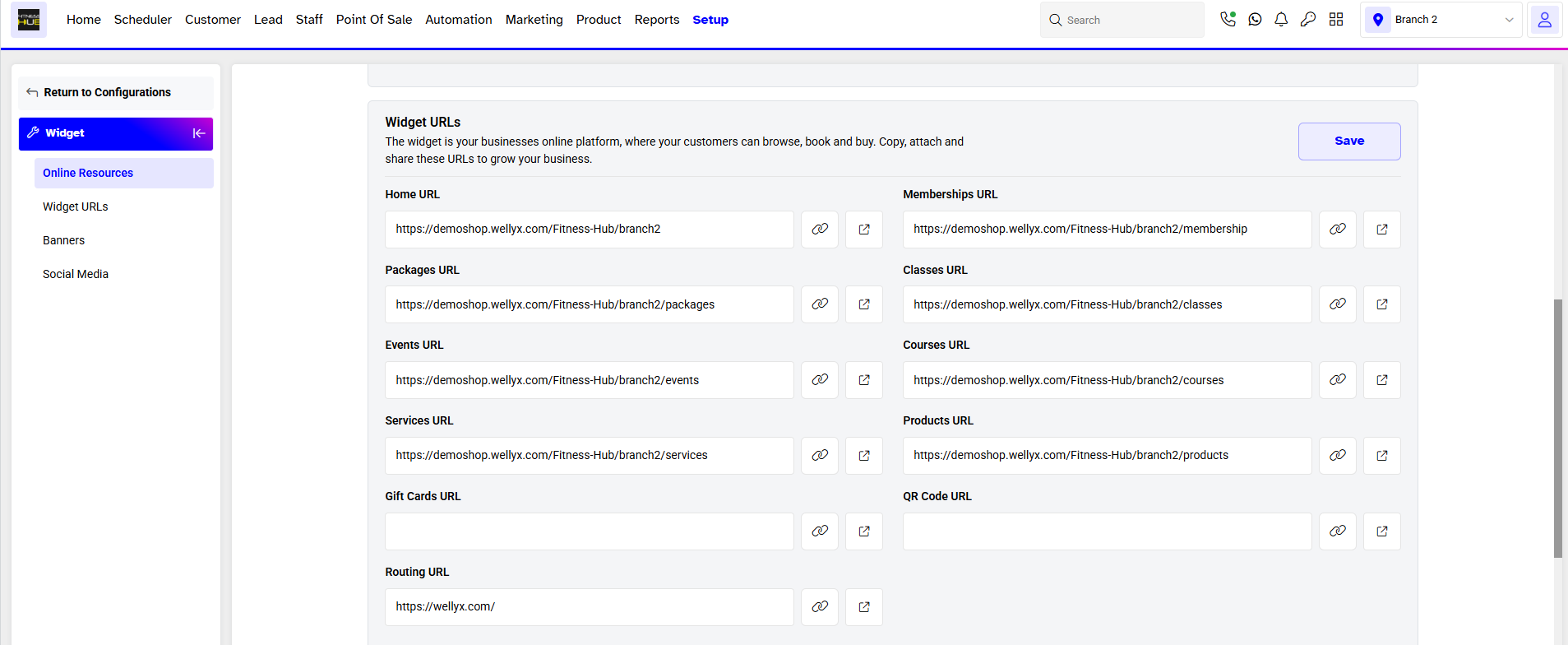
The QR Code of the Branch will be shown on the screen.

Customers can scan the QR Code through the Customer App to access Memberships, Classes, Services, and Products of the associated Company without logging in their account.
The QR Code URL can be copied by clicking on the Copy URL Icon.

To learn how to Access the Branch using a QR Code through the Customer App, click here.
For a list of terms used in the Wellyx application & across the support website, please consult our Glossary.




