Course Categories
To Add course categories:
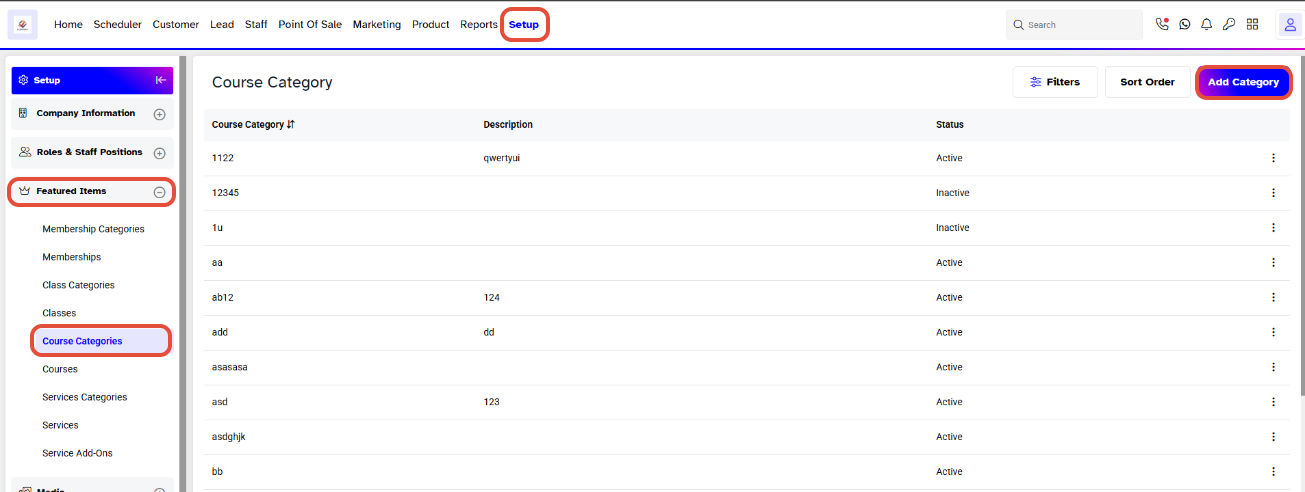
- Go to Setup from the main menu.
- Under Featured Items, select Course Categories.
- Here, you can view existing course categories along with their Description and Status.
- Click Add Category to create a new course category.
Add a Course Category
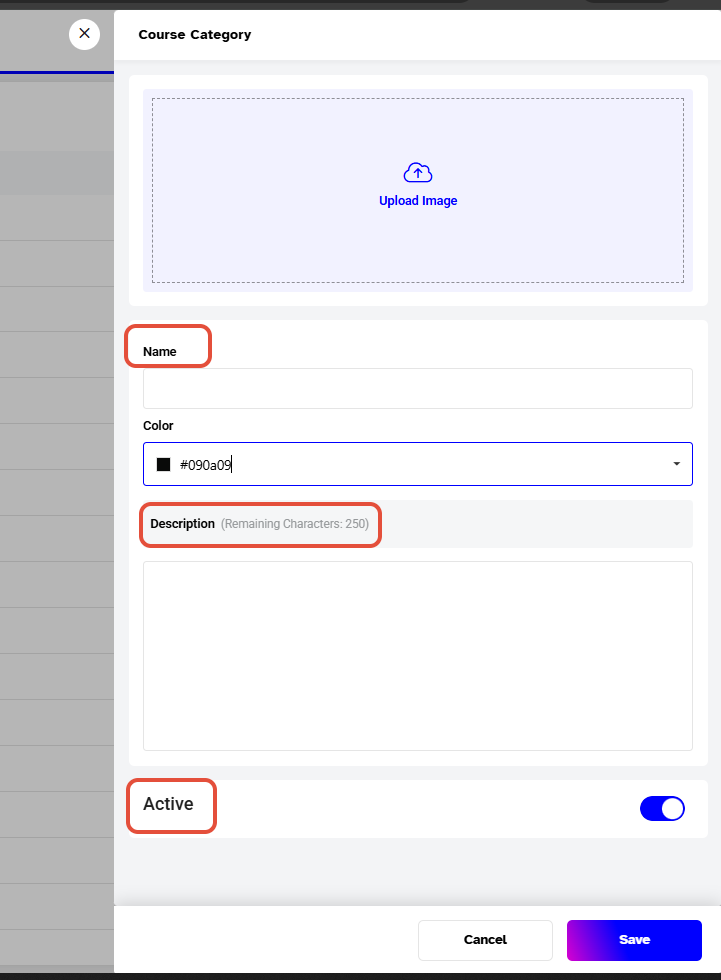
In the Course Category window, you can configure the following:
- Upload Image: Upload an image for the category.
- Name: Enter the name of the course category.
- Color: Select a color for the category.
- Description: Enter a description for the category. You can enter up to 250 characters.
- Active: Keep the toggle enabled to make the category active.
Click Save to create the course category.