How to Add Courses.
To add a courses in Core, follow the steps below:
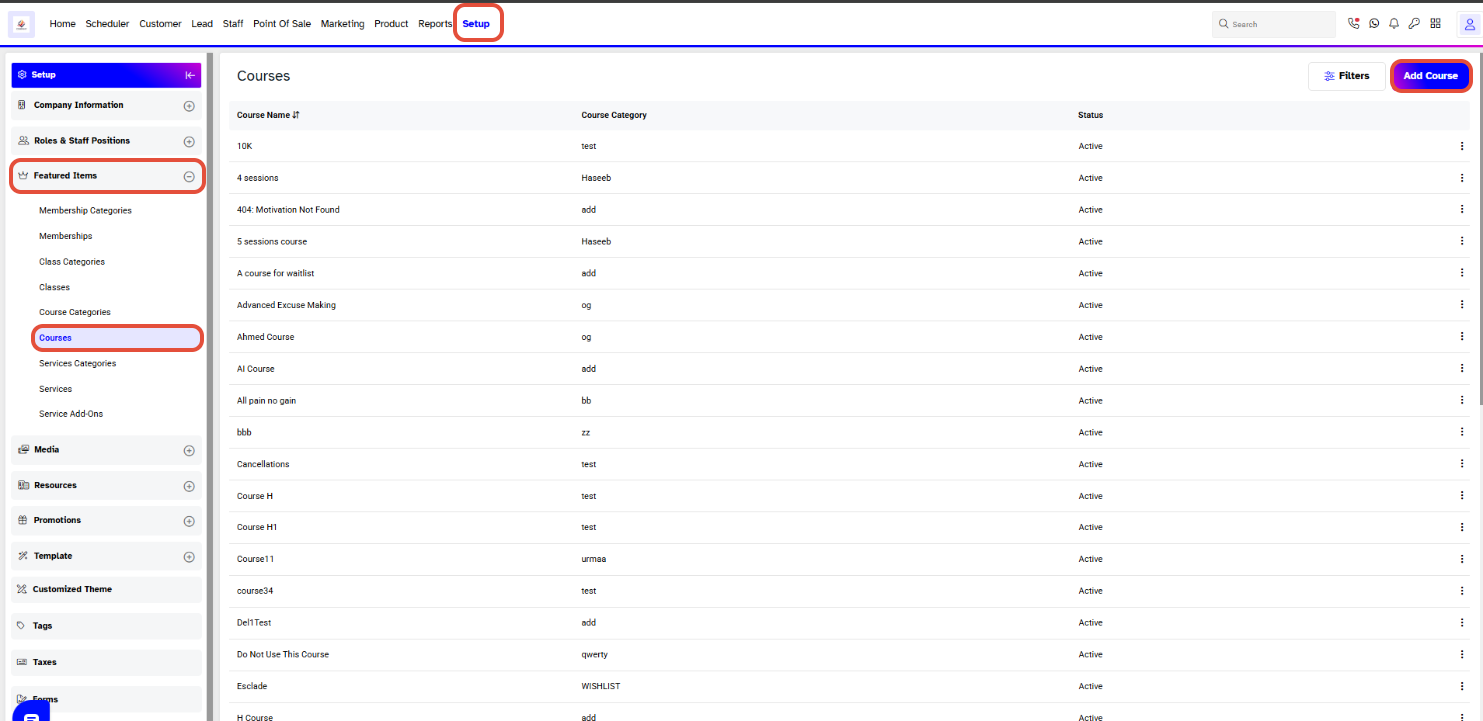
- Go to the Setup module in Core.
- From the left-hand menu, locate the Featured Items section.
- Under Featured Items, click Courses.
- To add a new course, click the Add Course button in the top-right corner.
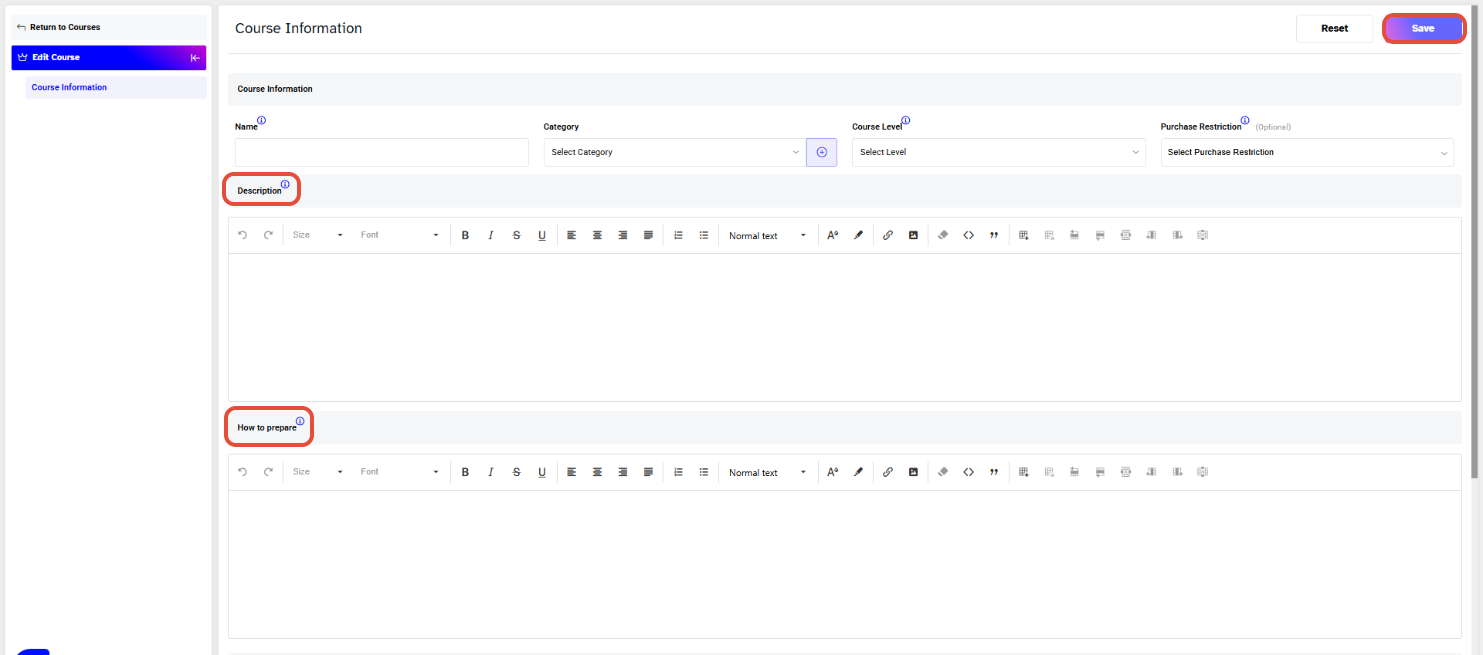
Enter the Course Name.
Select a Category.
Select the Course Level.
Select a Purchase Restriction if needed.
Add the Course Description.
Add How to Prepare instruction.
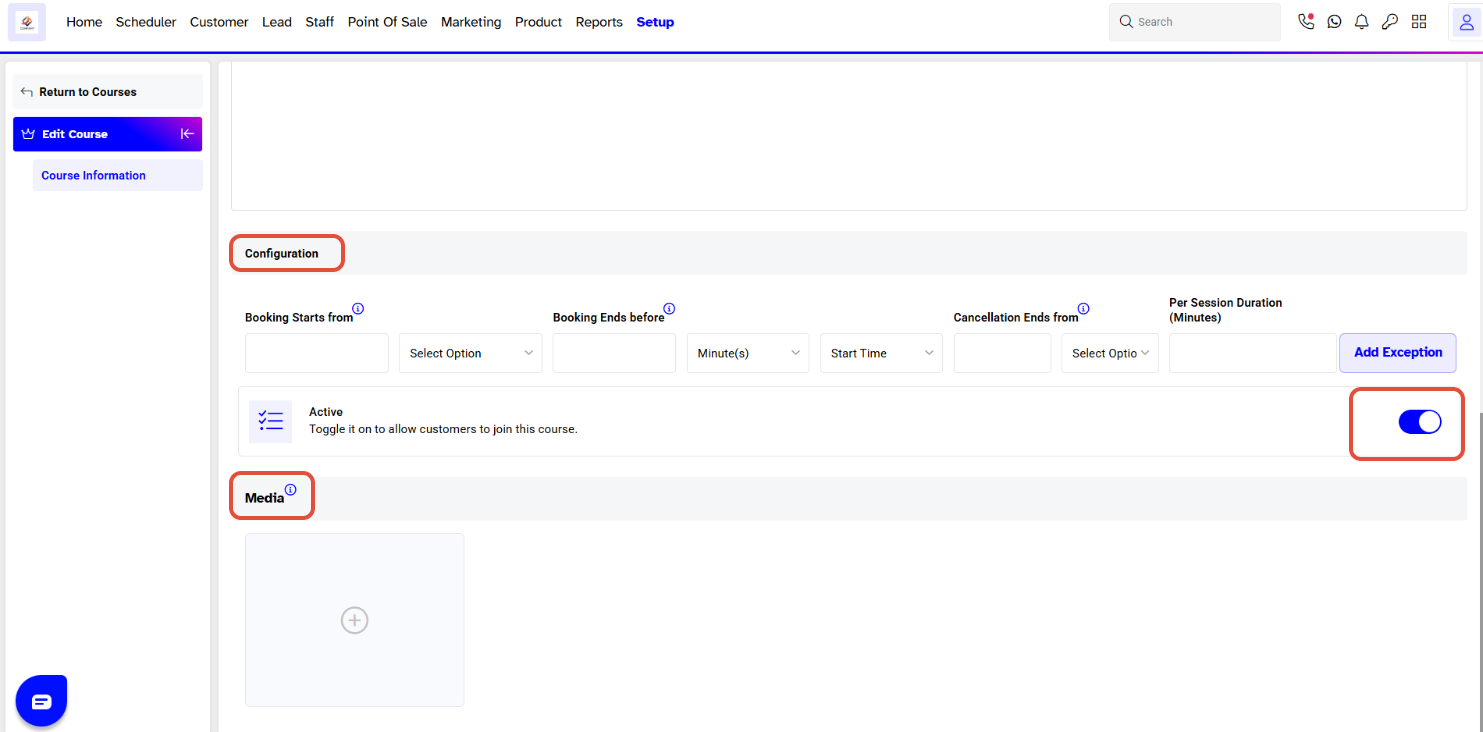
Configure the Course
Booking Starts From
- Enter when customers can start booking the course.
- Select the appropriate time unit from the dropdown.
Booking Ends Before
- Enter how long before the course starts that bookings should close.
- Select the appropriate time unit from the dropdown.
Cancellation Ends From
- Enter how long before the course starts customers can cancel their booking.
- Select the appropriate time unit.
Start Time
- Select whether the cancellation period should be calculated from the course Start Time.
Duration
- Enter the duration of each course session in minutes.
Add Exception
- Click Add Exception if you need to apply different booking or cancellation settings.
Activate the Course
Under Active, turn the toggle ON to allow customers to join and book the course.
Add Course Media
Under Media, click the + icon to upload an image or other media for the course.