For a list of terms used in the Wellyx application & across the support website, please consult our Glossary.
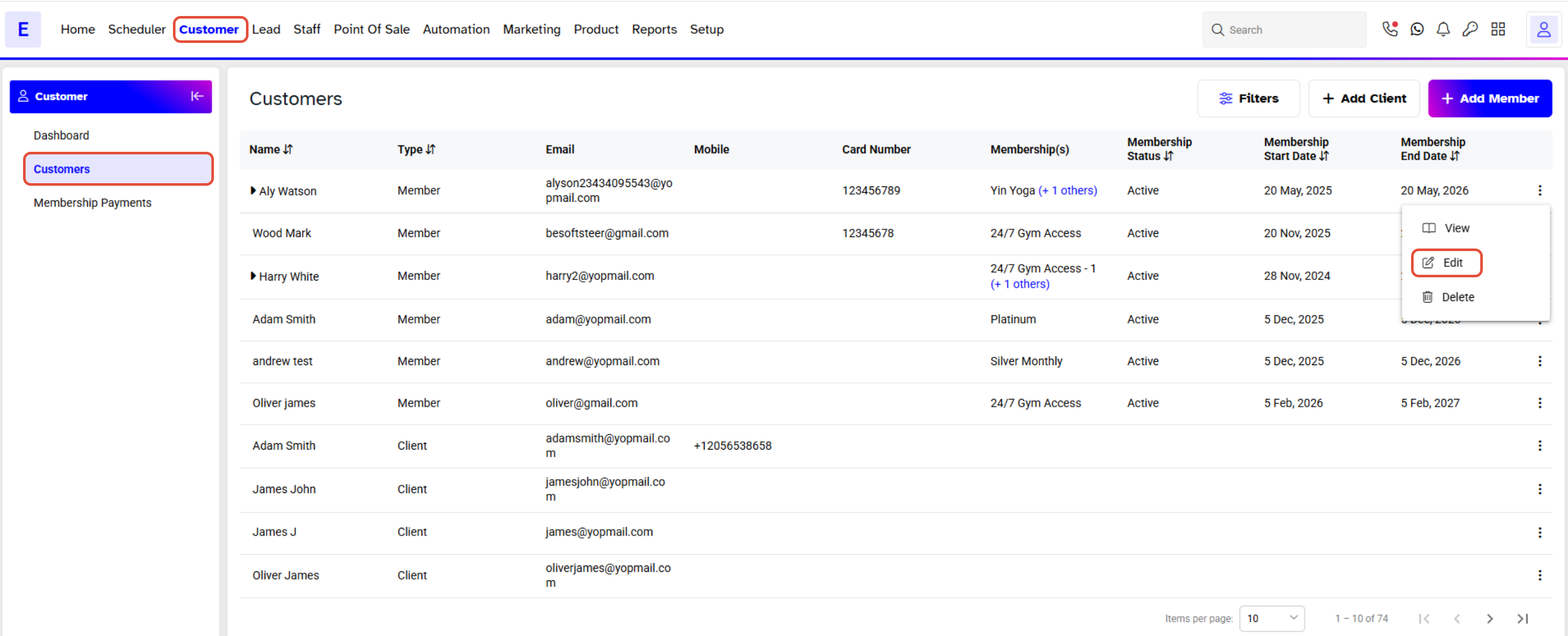
Merchants can add an appointment in the member’s profile. Go to Customer Click on the Edit bar that appears before the member’s name.
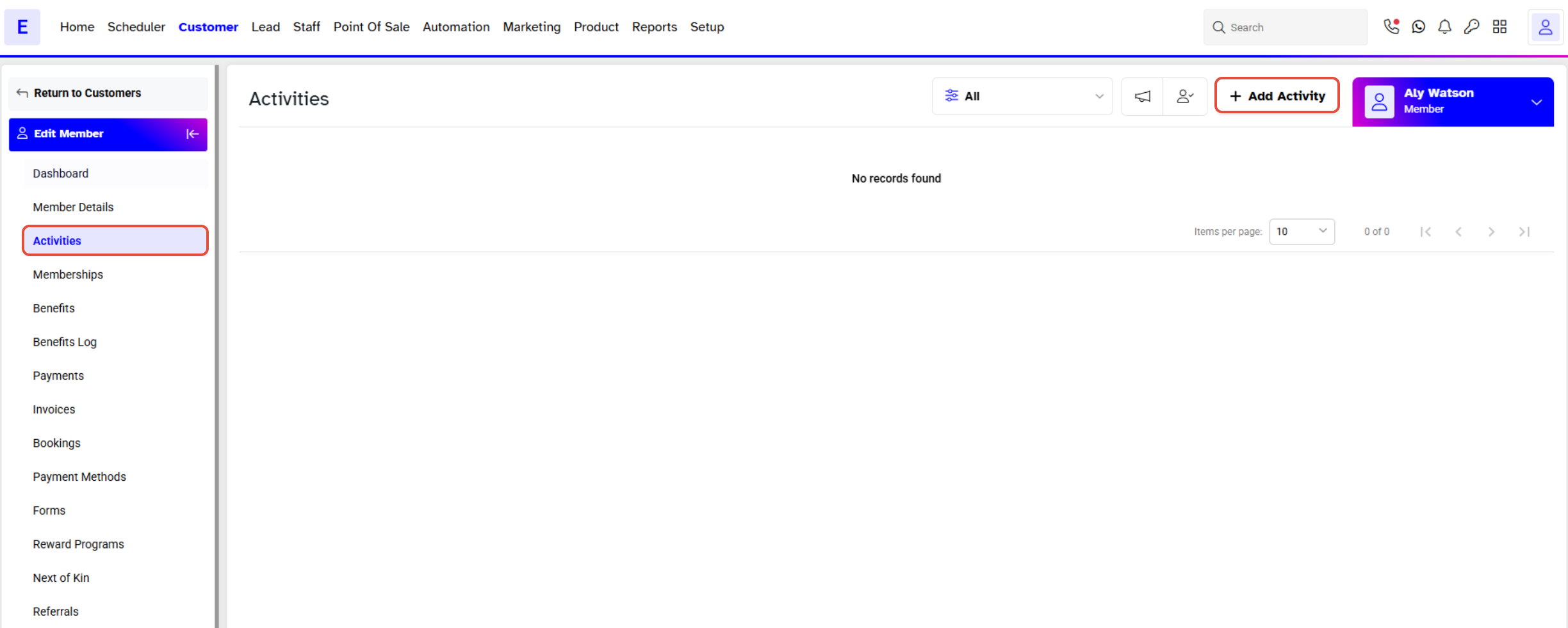
Click on Activities. It will take you to the activities page. You can view and add appointments for the member at this page. Click on Add Activity.
A window will pop up. Select Appointment.
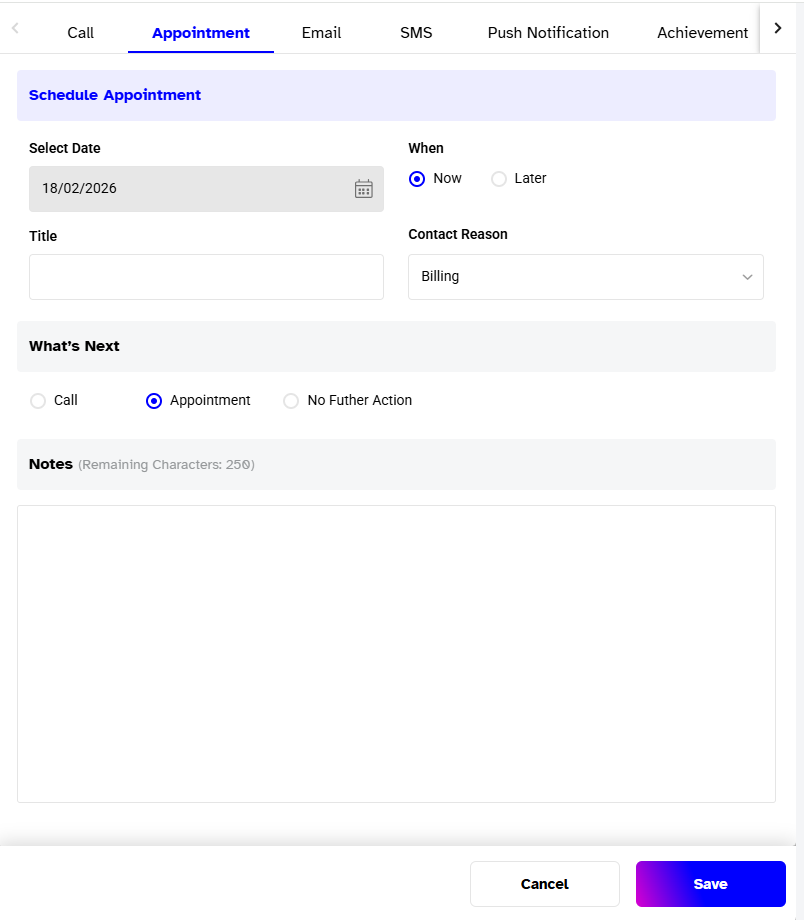
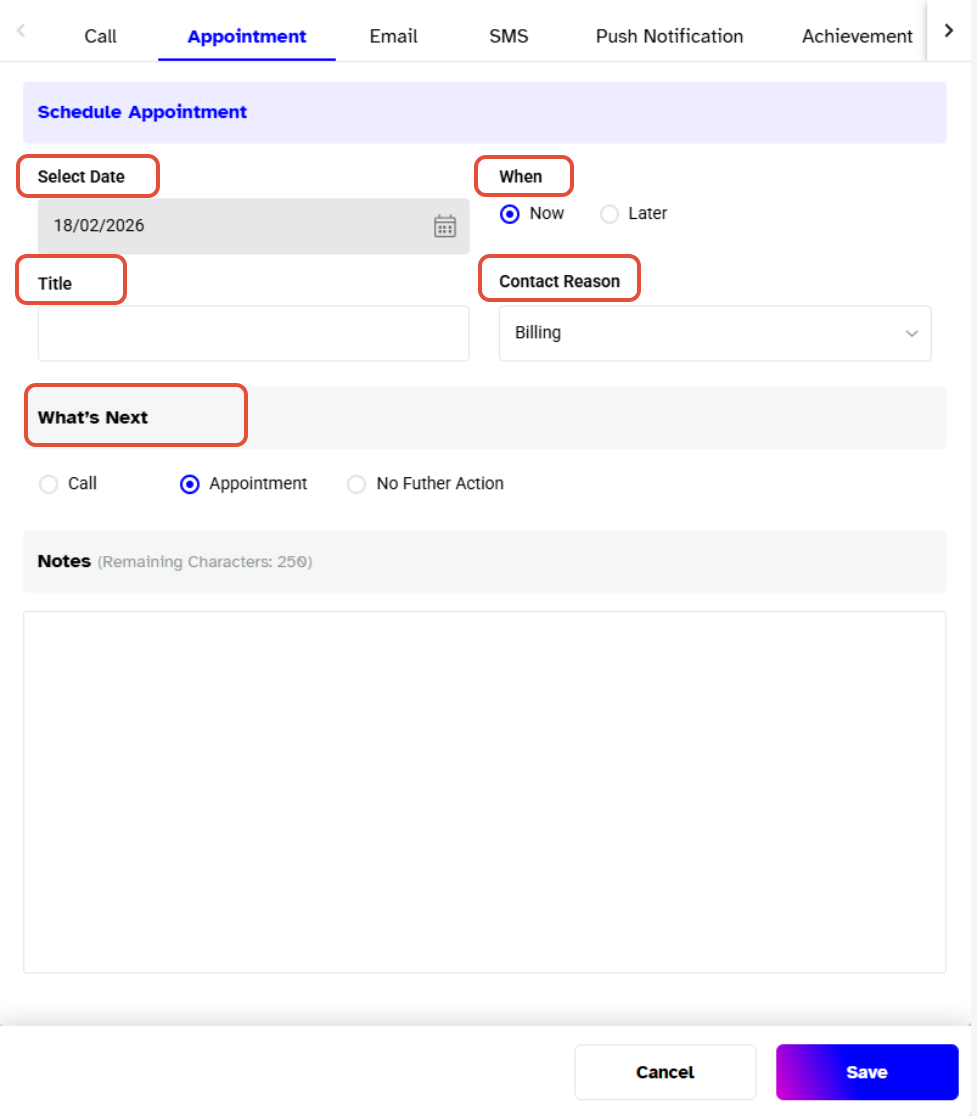
Choose the appointment date. Either you can choose the same date or a later date. Give a title and select the appointment time by checking the Now or Later boxes.
In Case of Now
Give a title. This will help your staff to understand the appointment objective. Select the contact reason and check the What’s next for the record. Take notes if needed and Save it to confirm.
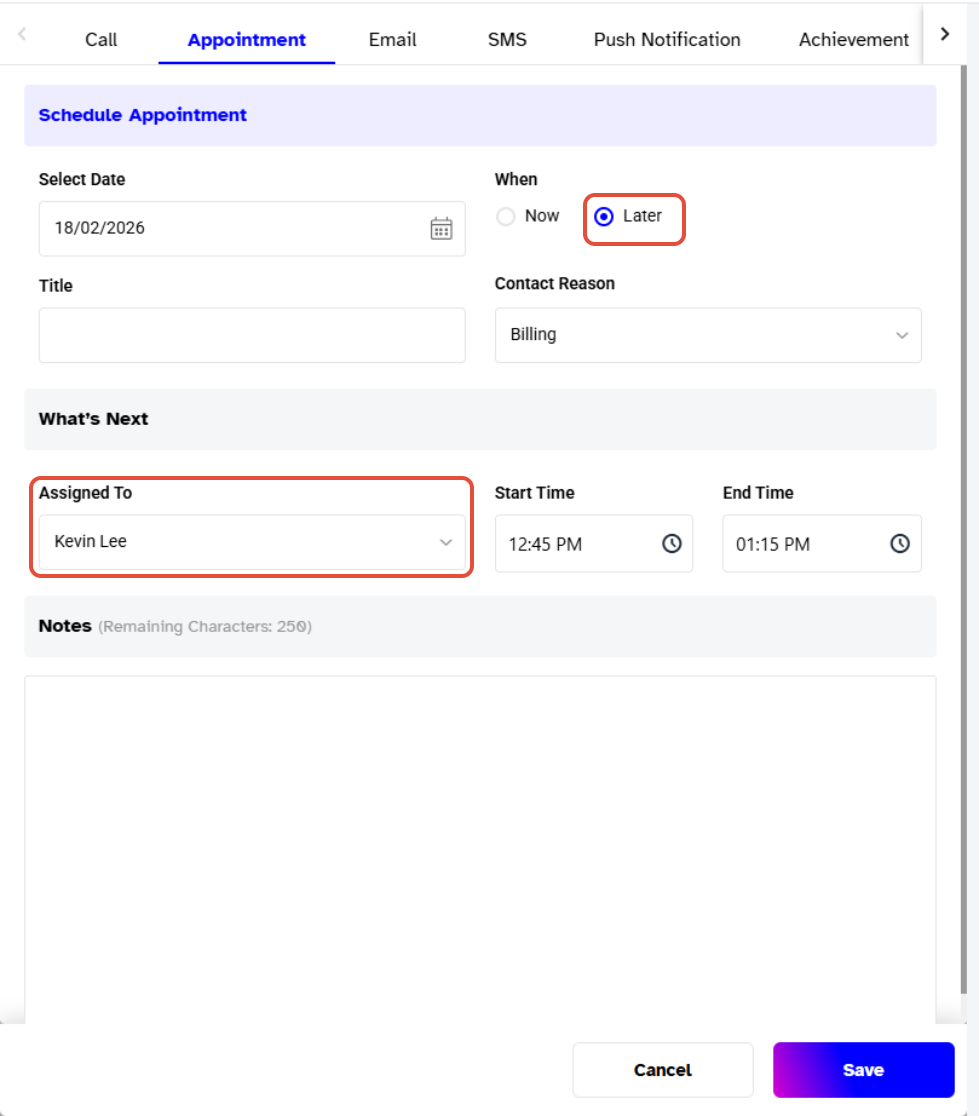
In Case of Later
If you are making an appointment for later then give a contact reason. Assign it to a staff member. Set the start and end time. Add important notes if needed. Save it to confirm.