TABLE OF CONTENTS
Overview
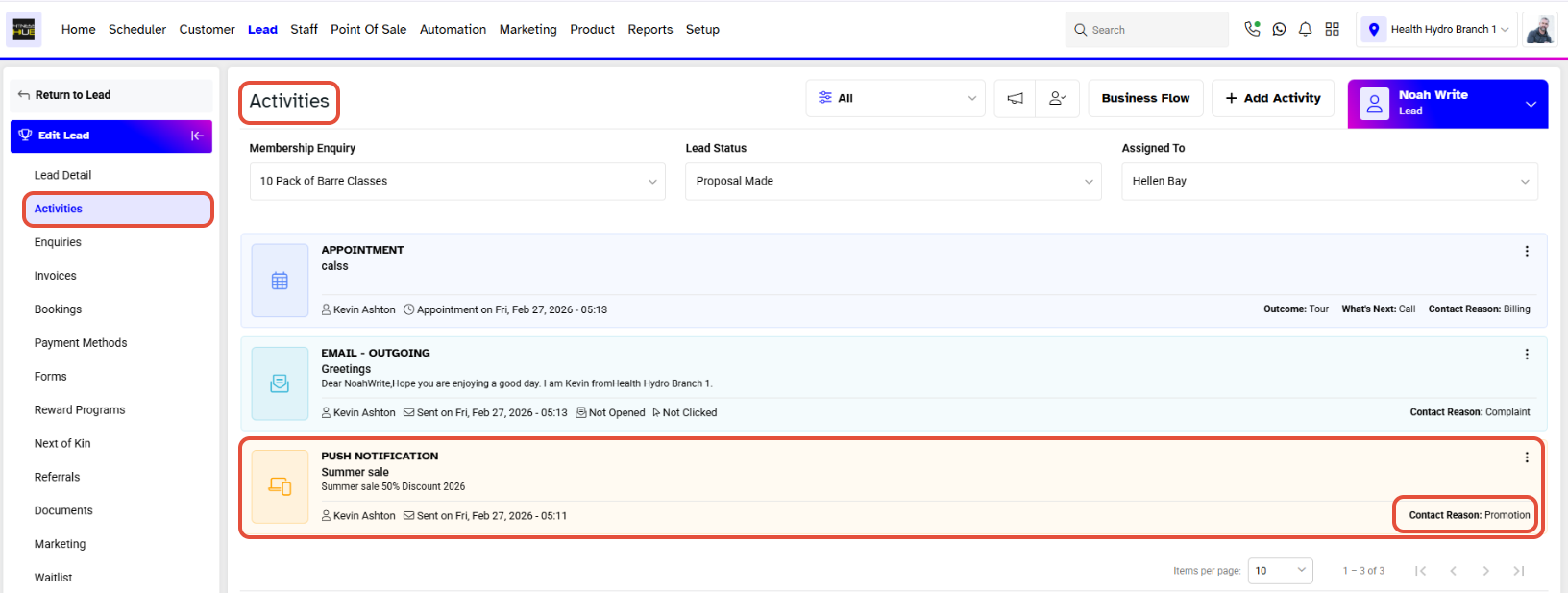
This guide explains how to view the Marketing Activity Log for a lead in Core. It covers the steps to navigate to a lead's profile, view activities, and filter for marketing-related entries. By following this guide, users can effectively track marketing interactions with leads.Step 1: Navigate to the Lead Module
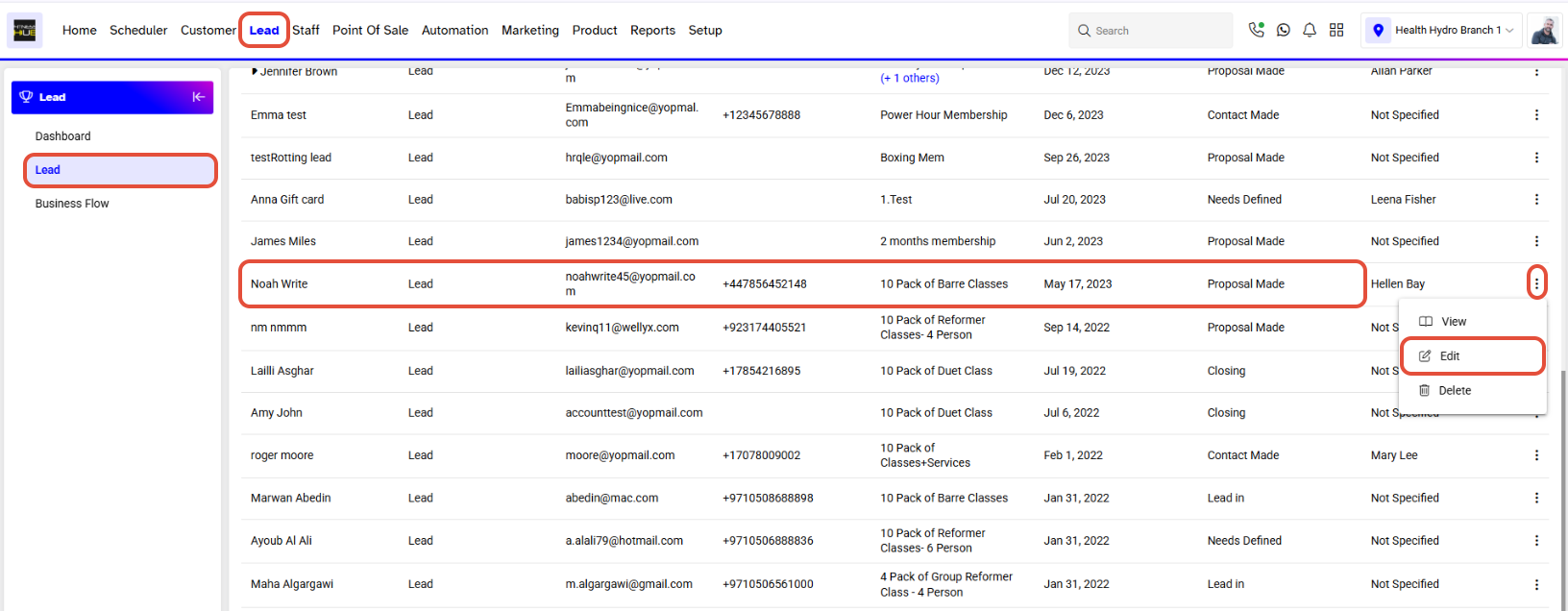
- Go to the Lead Module in Core.
- Click on the Edit Button against a Lead Name.
Step 2: View Activities
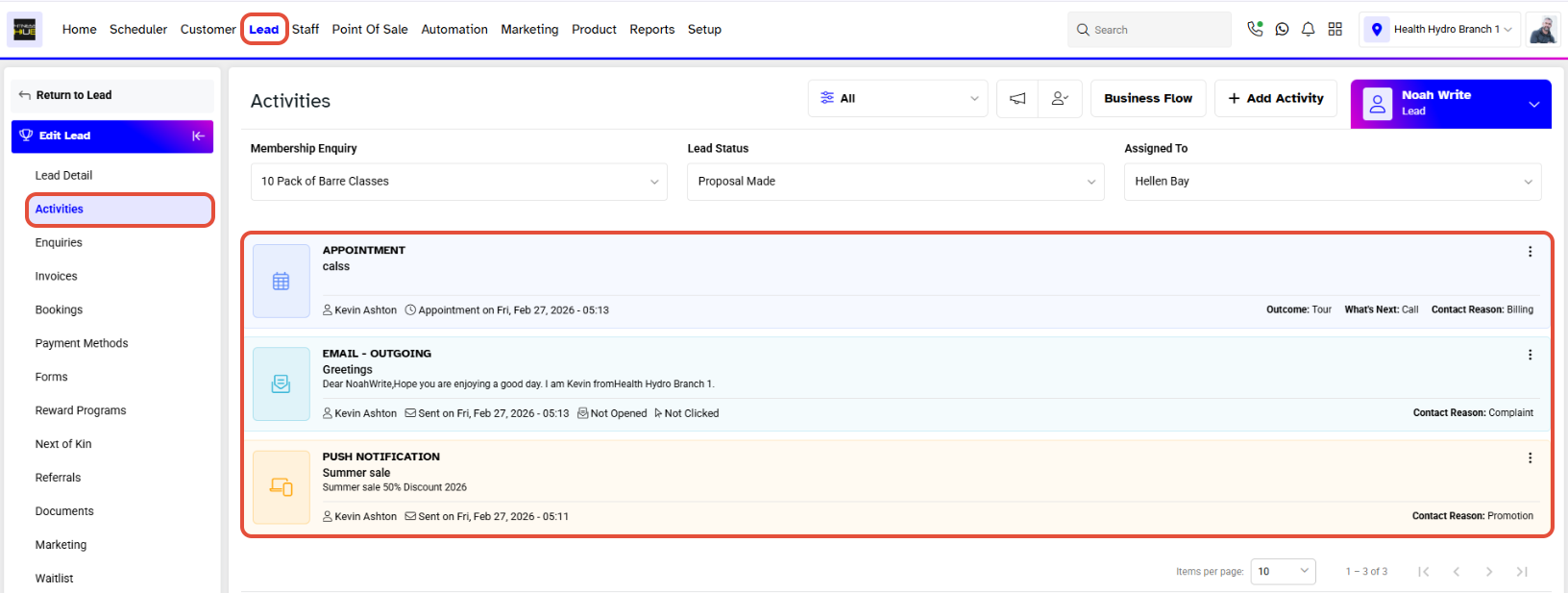
In Lead Profile, click on the Activities Tab to see all the Activities.
Step 4: Filter Marketing Log
- Click on the Marketing Log Button to filter out only Marketing related Activities.
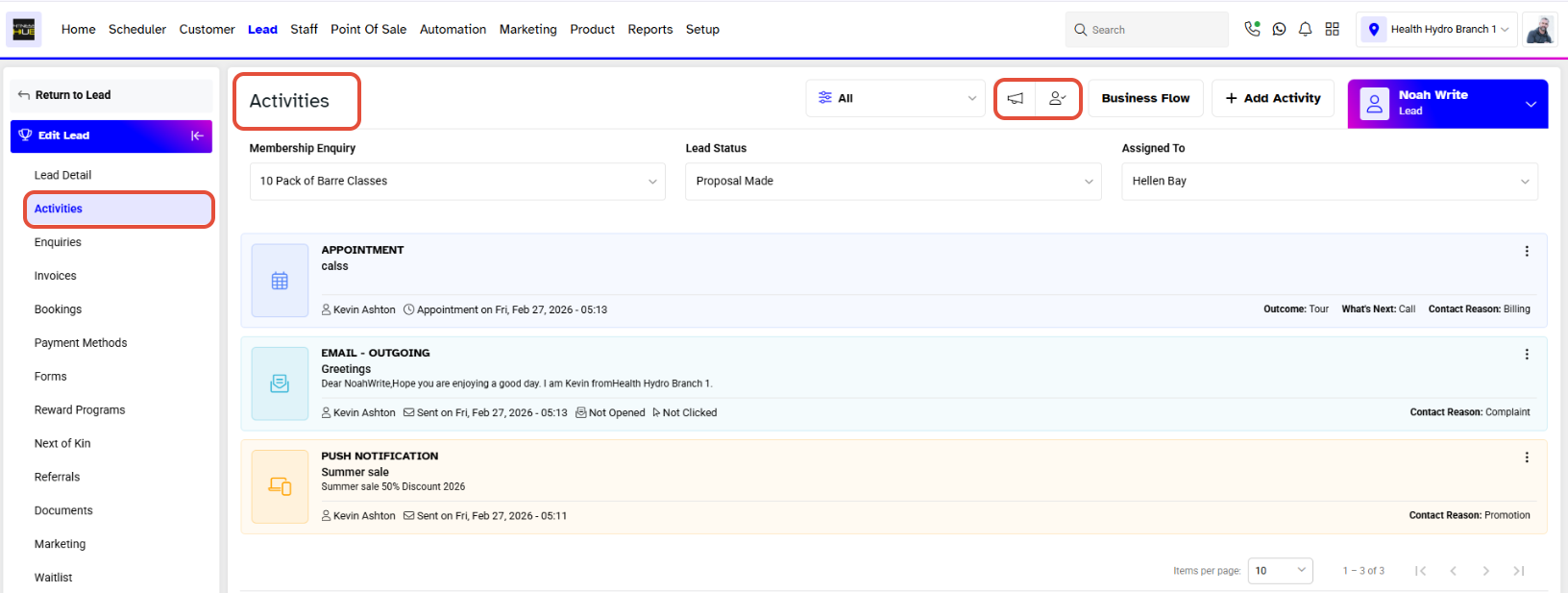
- All the Activities related to Marketing will now be visible on the screen.