


TABLE OF CONTENTS
Overview
This guide explains how to view your daily schedule in Core. It covers navigating to the Today segment and using the search filter to narrow down results. By following this guide, merchants can easily view their scheduled tasks, appointments, and calls.
Step 1: Navigate to Today's Schedule
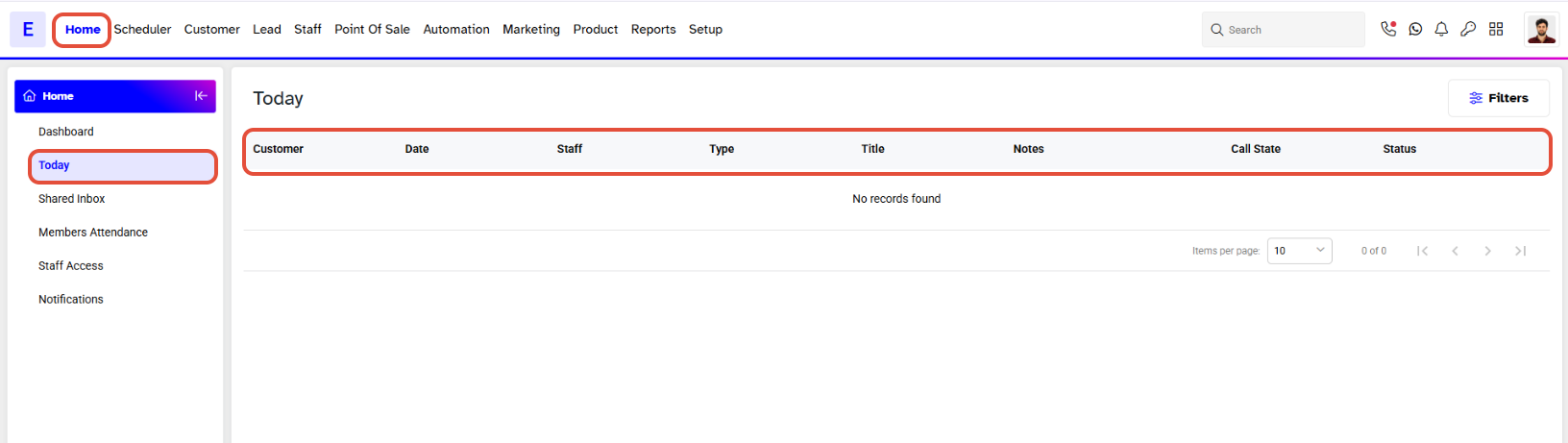
- Go to the Home Module from the Core Menu.
- You will land on the Today Segment by default.
- The Today Segment displays the following
- Staff
- Type
- Title
- Customer
- Follow-up Date
- Start Time
- End Time
- Notes
- This segment shows all Tasks, Appointments, and Calls scheduled for the day.
Step 2: Filter Today's Schedule
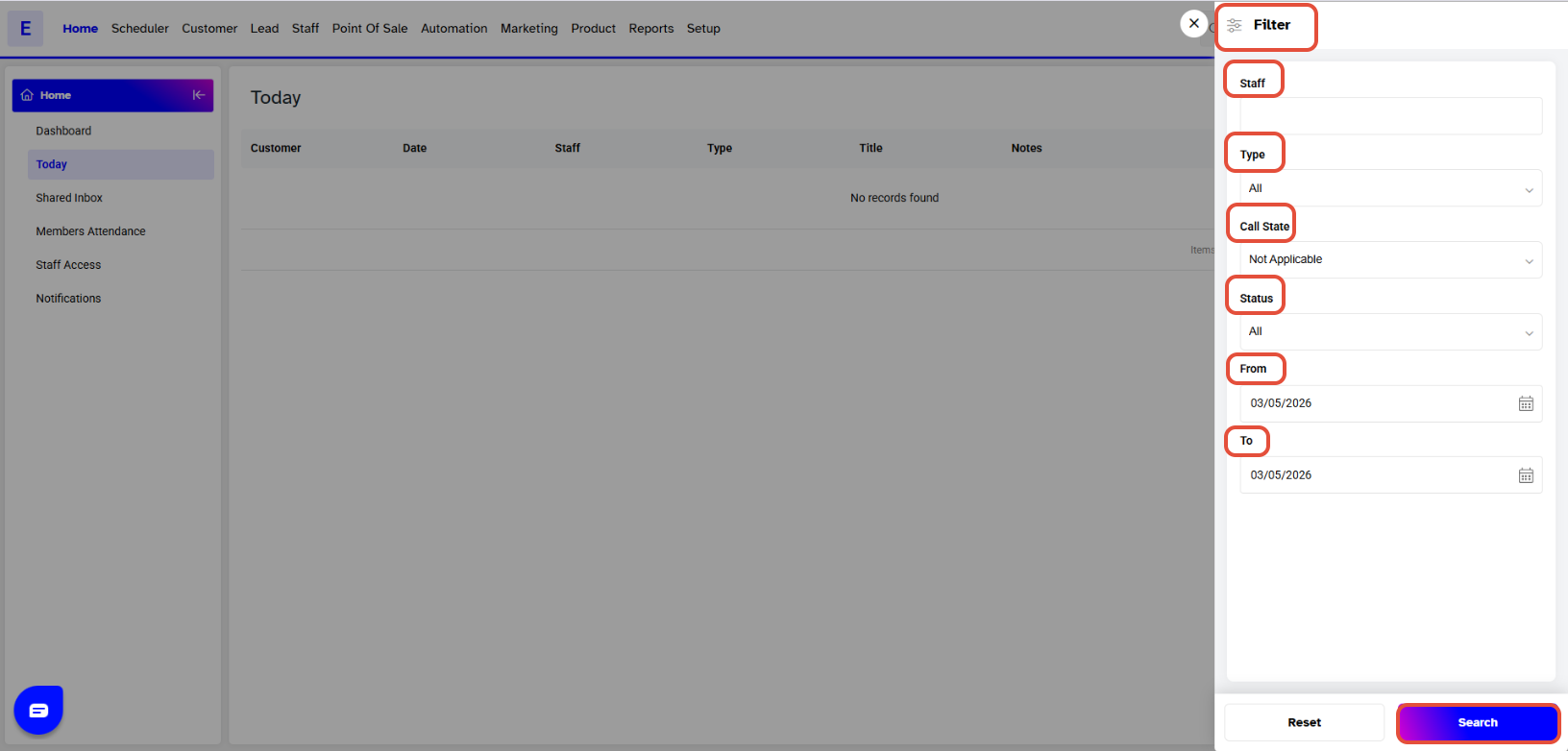
- Merchants can use the Search Filter to view the schedule for a specific staff member.
- Click on the Filters tab to view this section.
- Type the Staff name.
- Select a Type from the dropdown menu list.
- Choose a date range for which you want to view the schedule.
- Select a starting date under From.
- Select an ending date under To.
- Click on Search.
- Click Reset to clear all fields.
For a list of terms used in the Wellyx application & across the support website, please consult our Glossary.




