TABLE OF CONTENTS
- Overview
- Step 1: Navigate to the Lead Module
- Step 2: Add an Activity
- Step 3: Fill in Lead Call Details
- Step 4: Save the Lead Call
- Step 5: Edit or Delete Lead Call
Overview
This guide explains how to schedule a call with a consumer in Wellyx, allowing merchants to arrange a call for now or later.Step 1: Navigate to the Lead Module
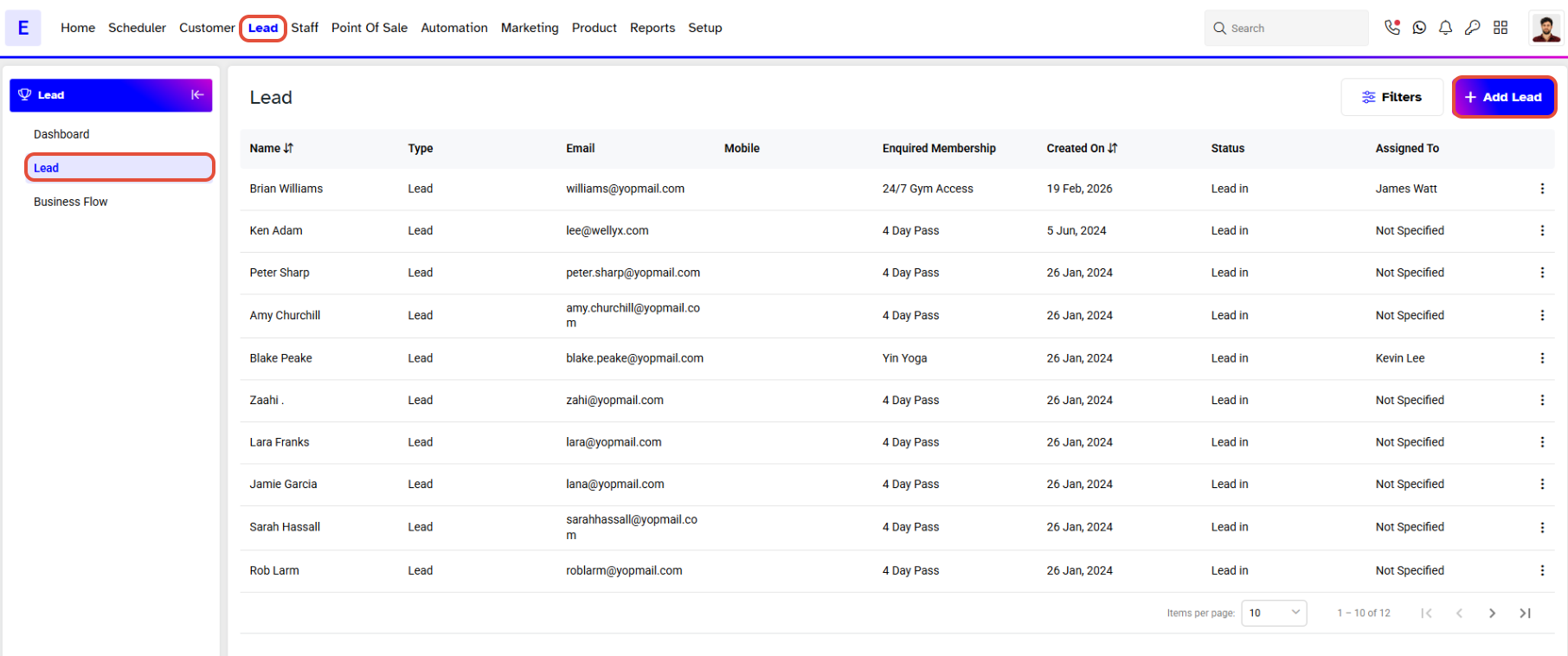
- Go to the Lead Module.
- By default, you will be taken to the Lead segment.
- Click on the Leads Name.
Step 2: Add an Activity
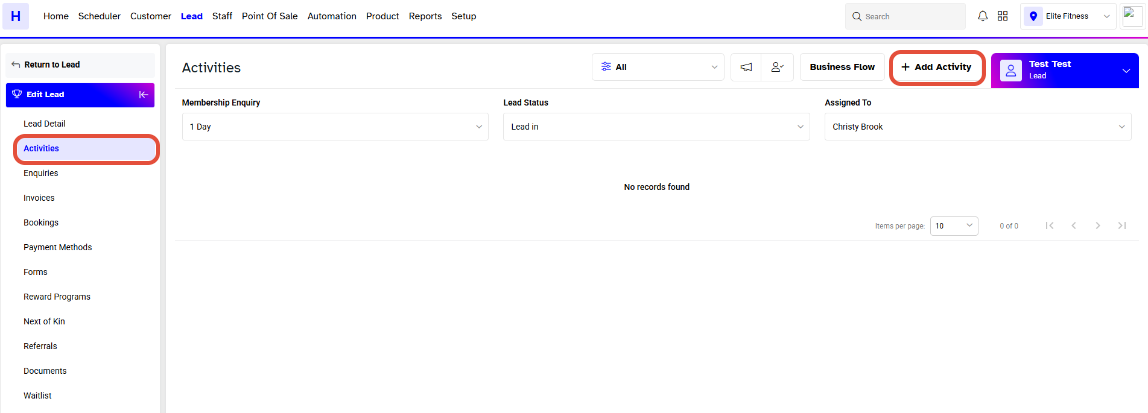
- Click on the Activities button.
- Click on Add Activity.
Step 3: Fill in Lead Call Details
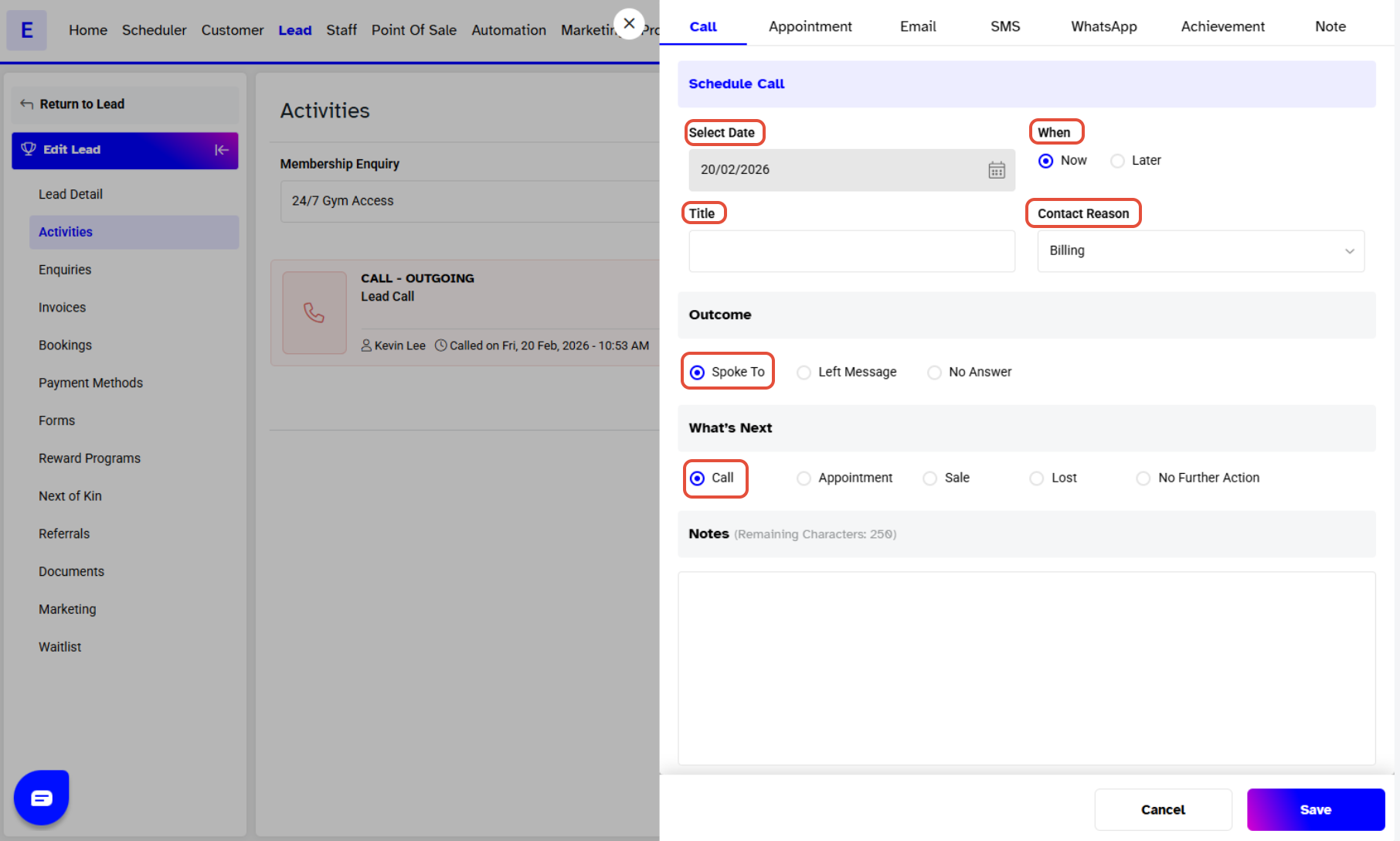
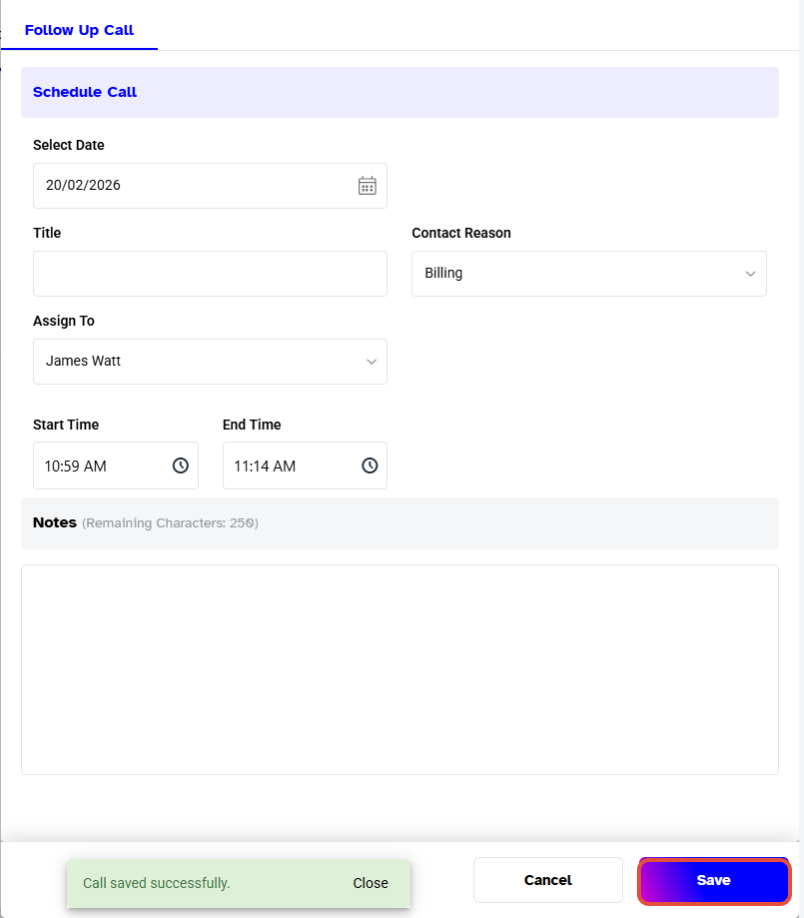
- Fill out the Lead Call Dialogue box to specify the Lead Call.
- Date: The date will be chosen for Today for calls scheduled for Now.
- Time: Choose either Now or Later.
- Title: Add a title for the reason of the call.
- Contact Reason: Choose a contact reason from the drop down menu.
- Outcome: Choose an outcome by selecting: Spoke To, Left Message, or No Answer.
- What's Next: Choose to proceed further: Call, Appointment, Sale, Lost, or No Further Action.
- Notes: Add any extra information (up to 250 characters). Notes are optional.
Step 4: Save the Lead Call
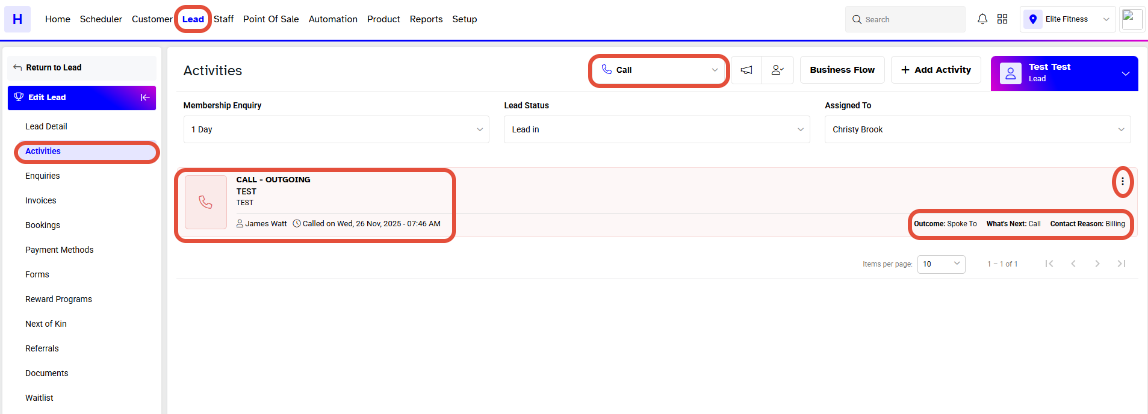
- Click on Save to schedule your Lead Call.
- After you have filled out the necessary information, you will see your Lead Call under the Calls section.
Step 5: Edit or Delete Lead Call
- You can now Edit or Delete your Lead Call if needed.