TABLE OF CONTENTS
- Overview
- Step 1: Navigate to the Lead Module
- Step 2: Edit the Lead
- Step 3: Navigate to the Activities Tab
- Step 4: Navigate to the Delete Button
- Step 5: Click on the Confirm Button
Overview
This guide explains how to create a Lead Note in Core step by step, including accessing the lead details and entering the note information.
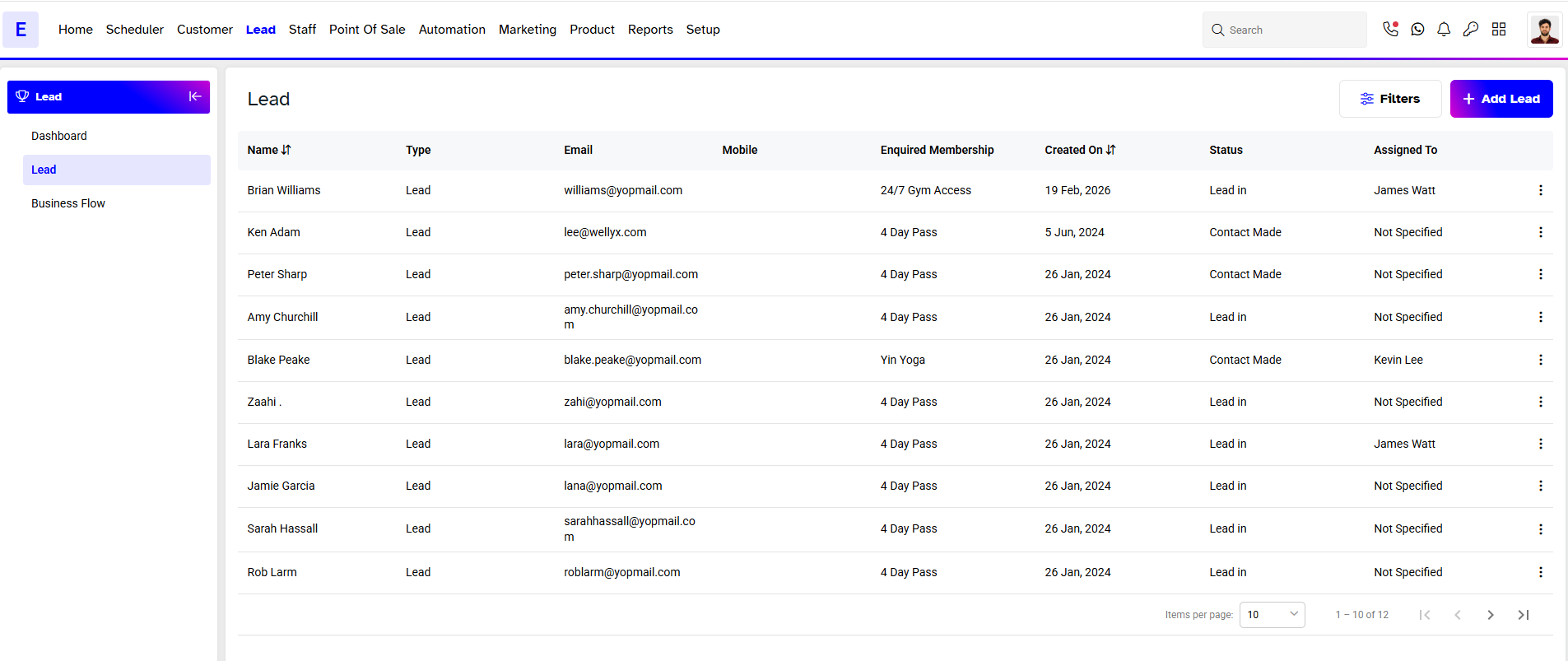
Step 1: Navigate to the Lead Module
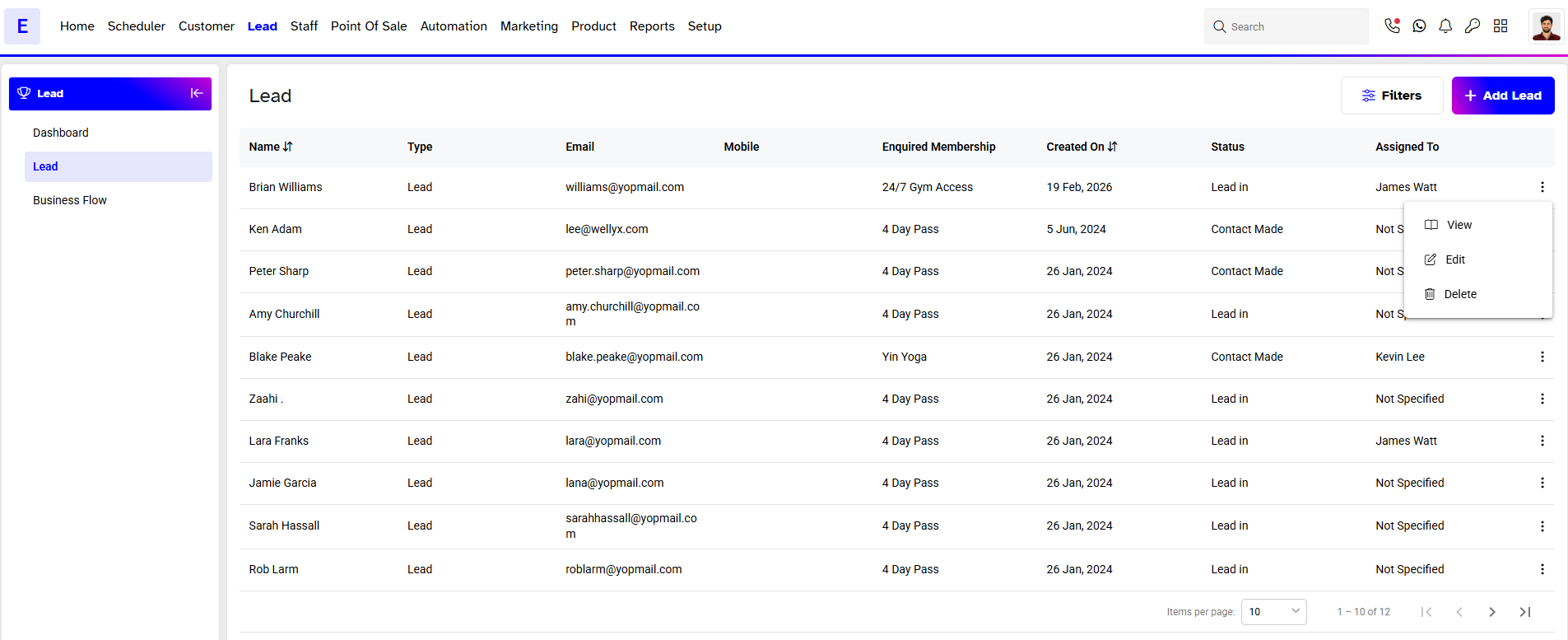
Step 2: Edit the Lead
- Click on Edit under the Action column for the desired Lead's Name.
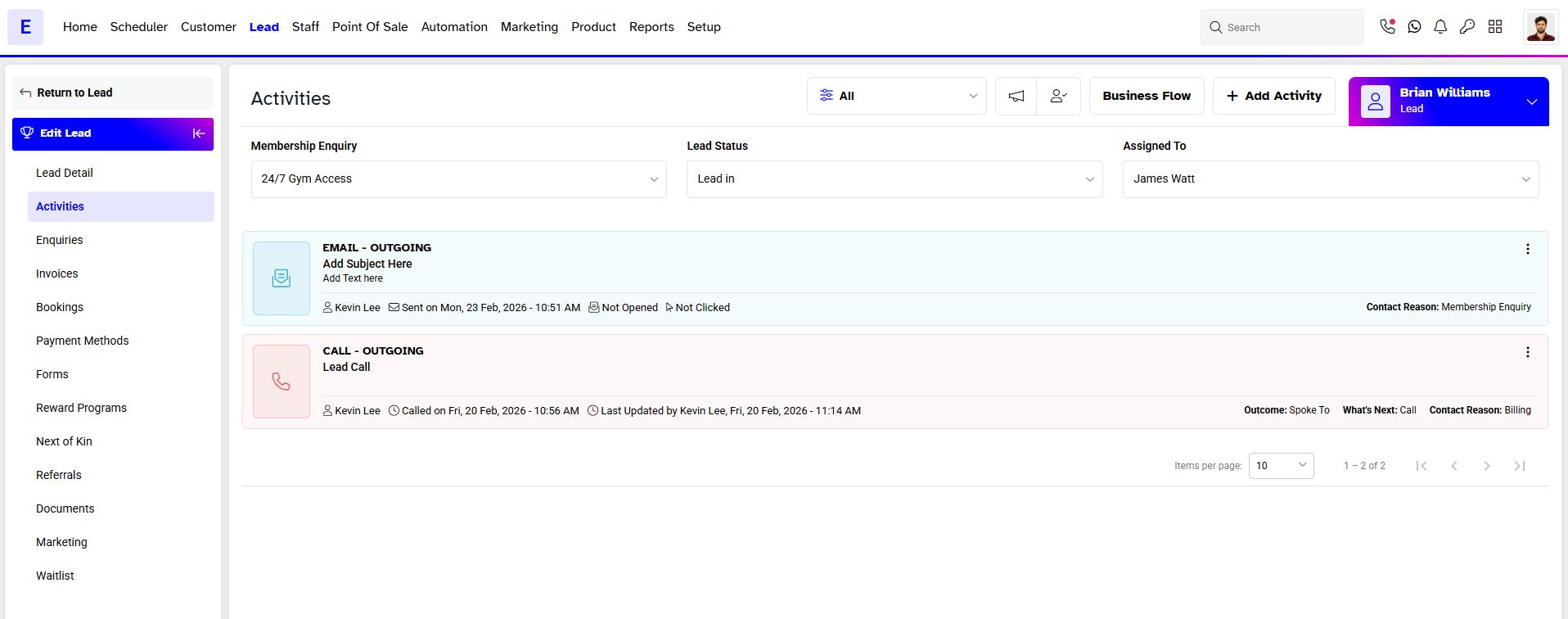
Step 3: Navigate to the Activities Tab
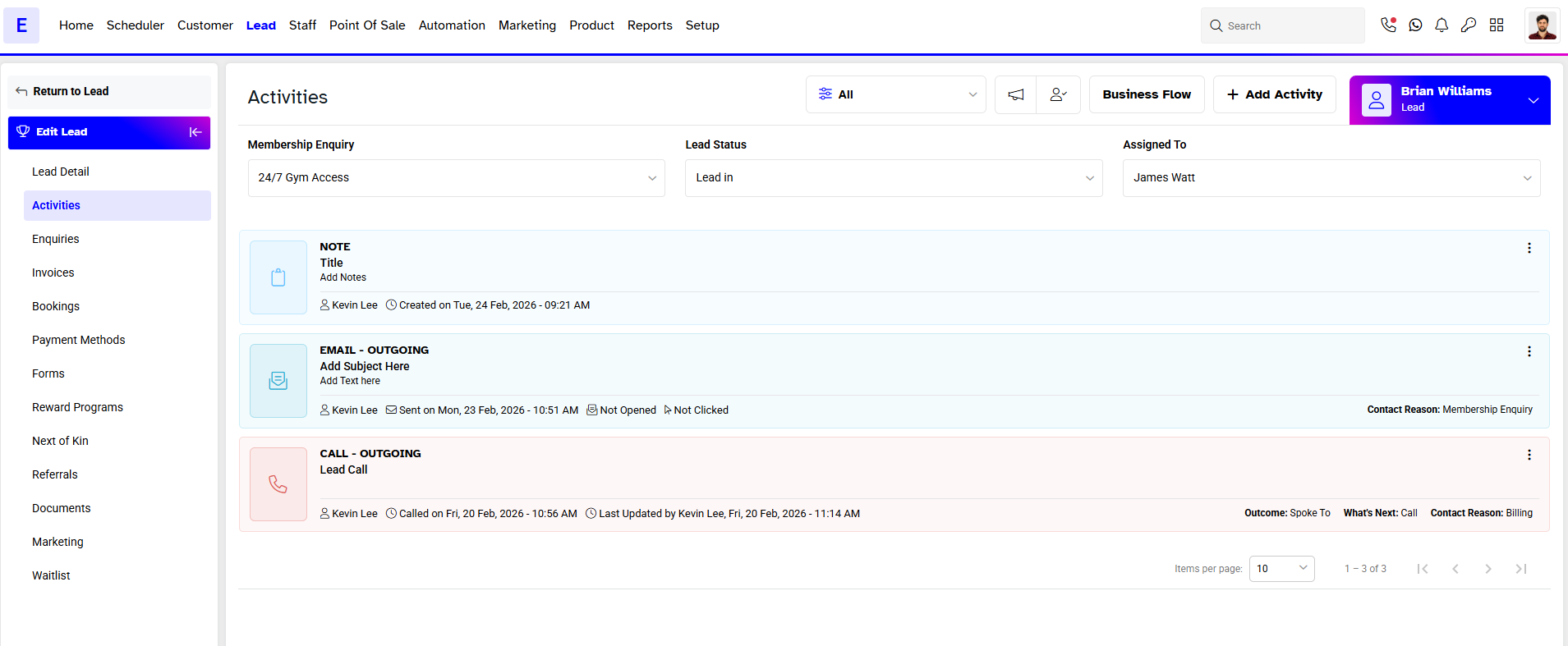
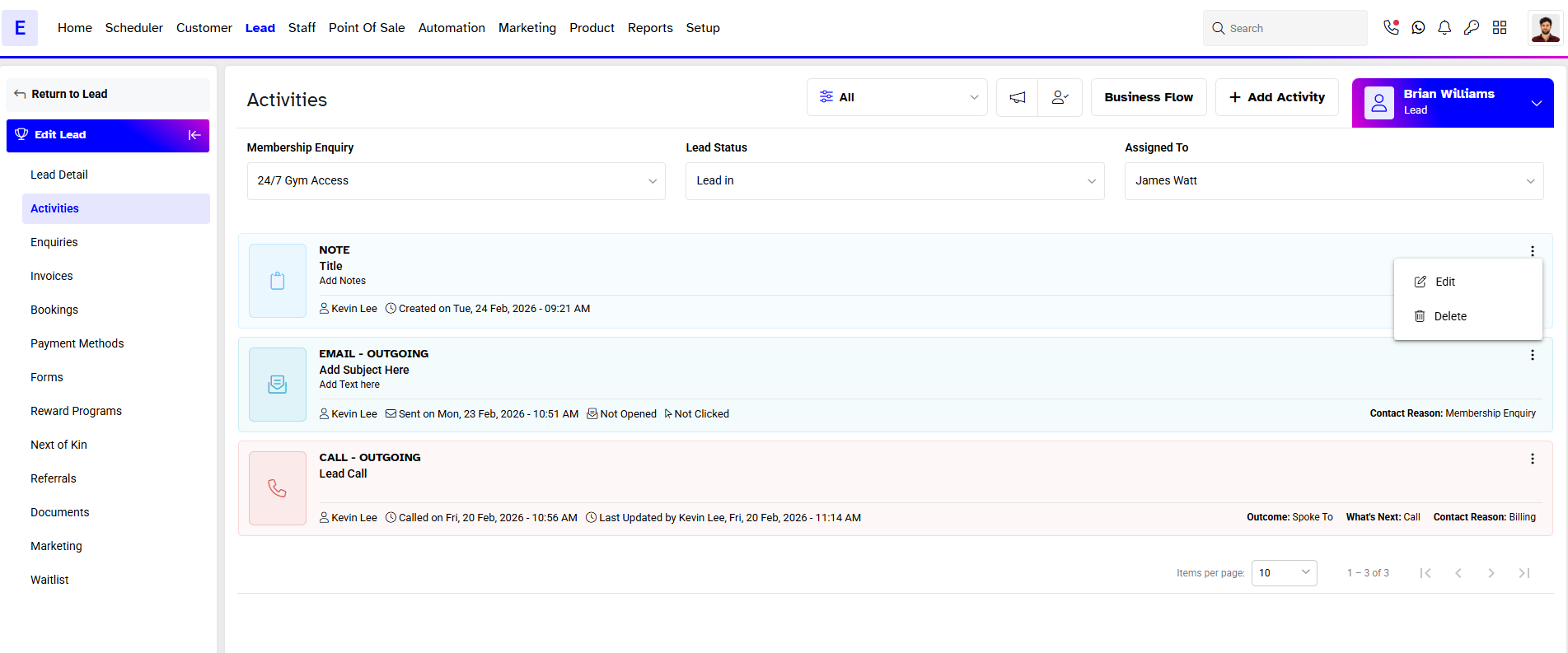
Step 4: Navigate to the Delete Button
- Once in Activities, click on the Delete Button against a Note.
Step 5: Click on the Confirm Button
- In the Confirm Delete Box, click on the Yes, Delete Button.
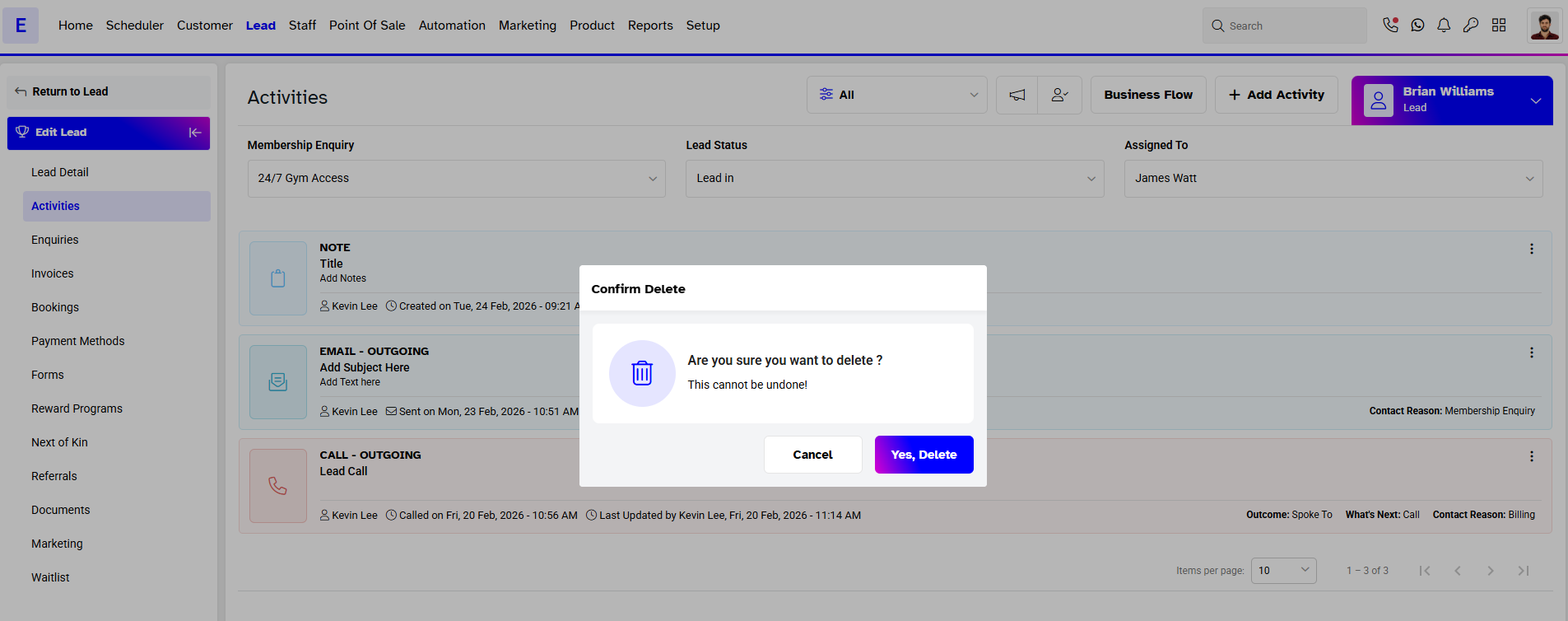
- The Note will be successfully Deleted.