TABLE OF CONTENTS
To Partially Pay for a Class through the Widget, please follow the below steps.
How To Buy Now And Pay Later (Partial Payment) For A Class Through The Widget
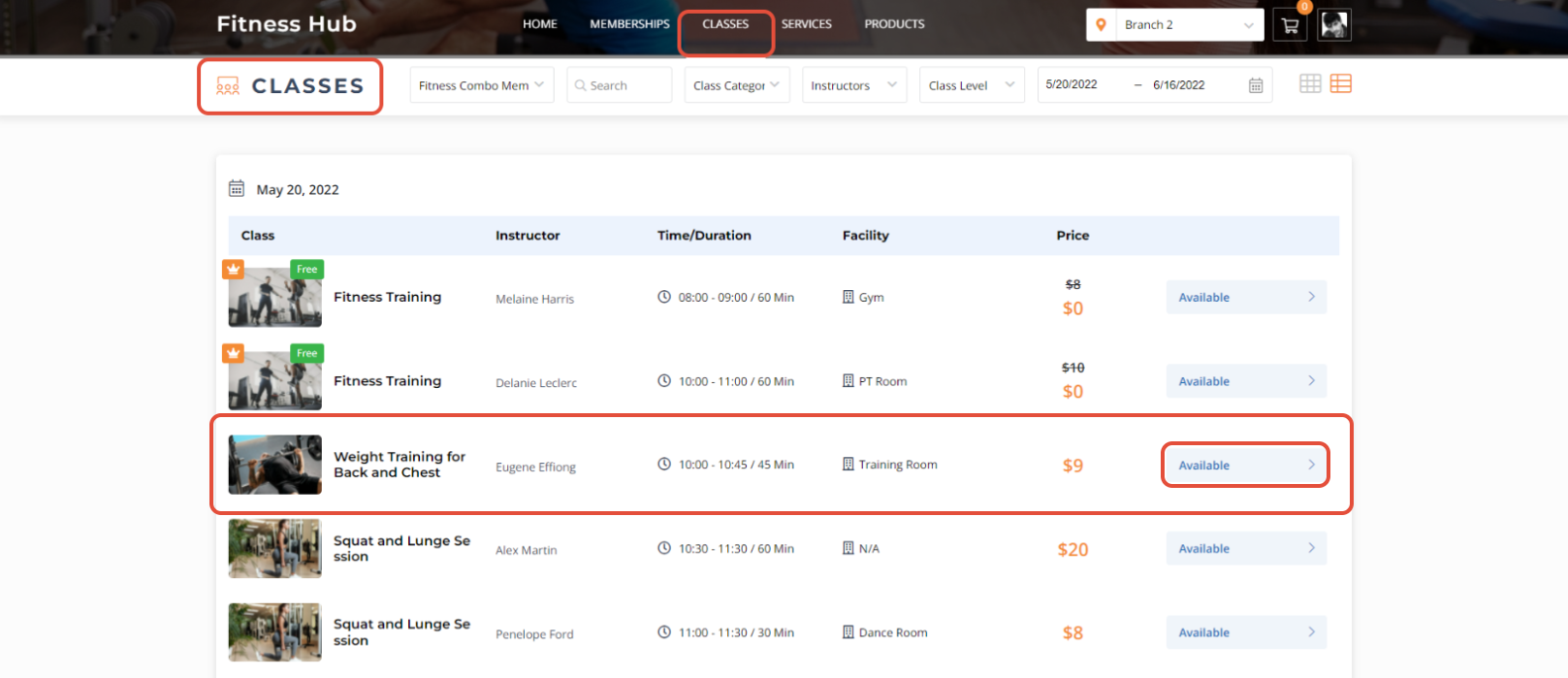
Go to the Classes Tab and click on a Class.
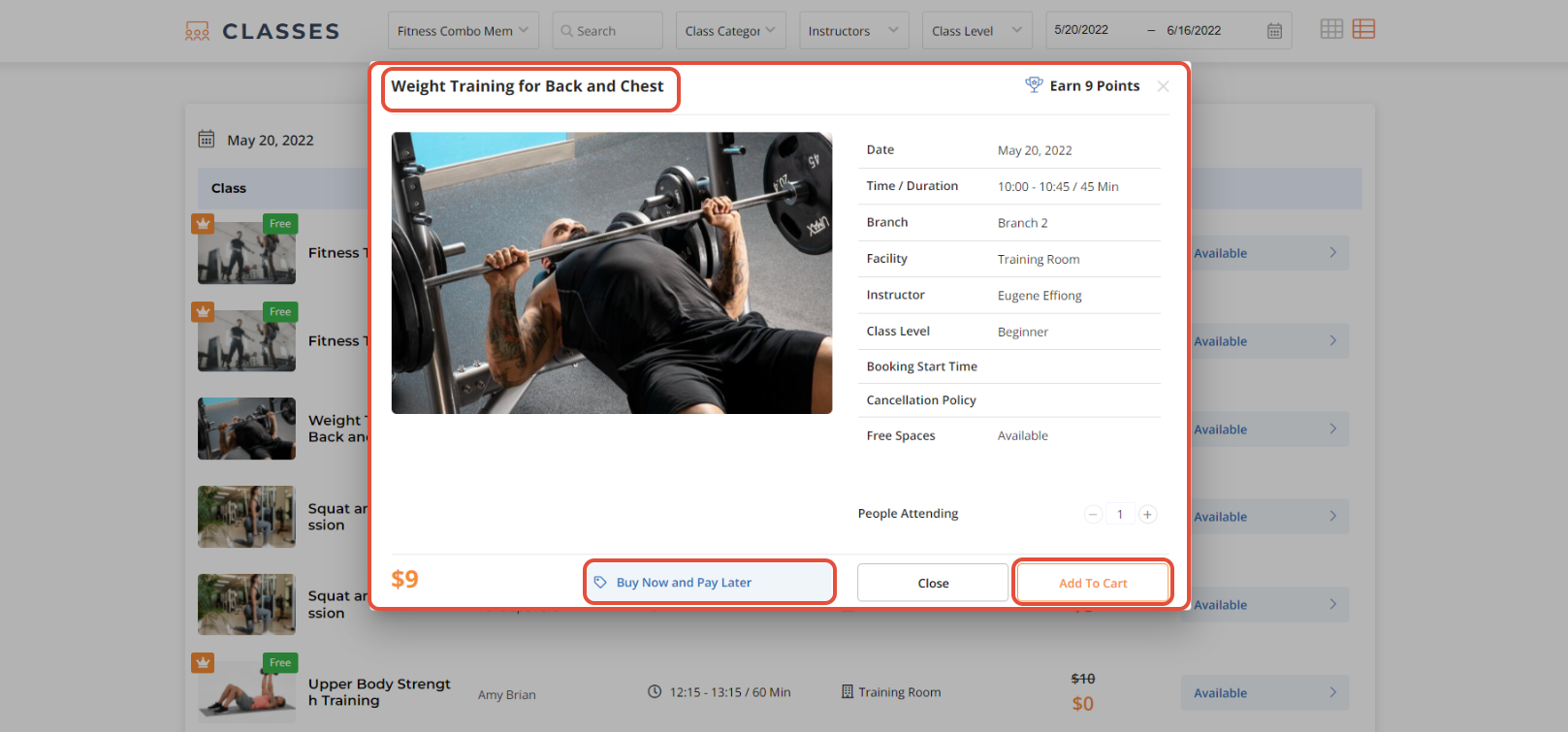
Click on Add To Cart Button.
Once in Checkout, select Pay Minimum Amount Due and then click on the Checkout Button.
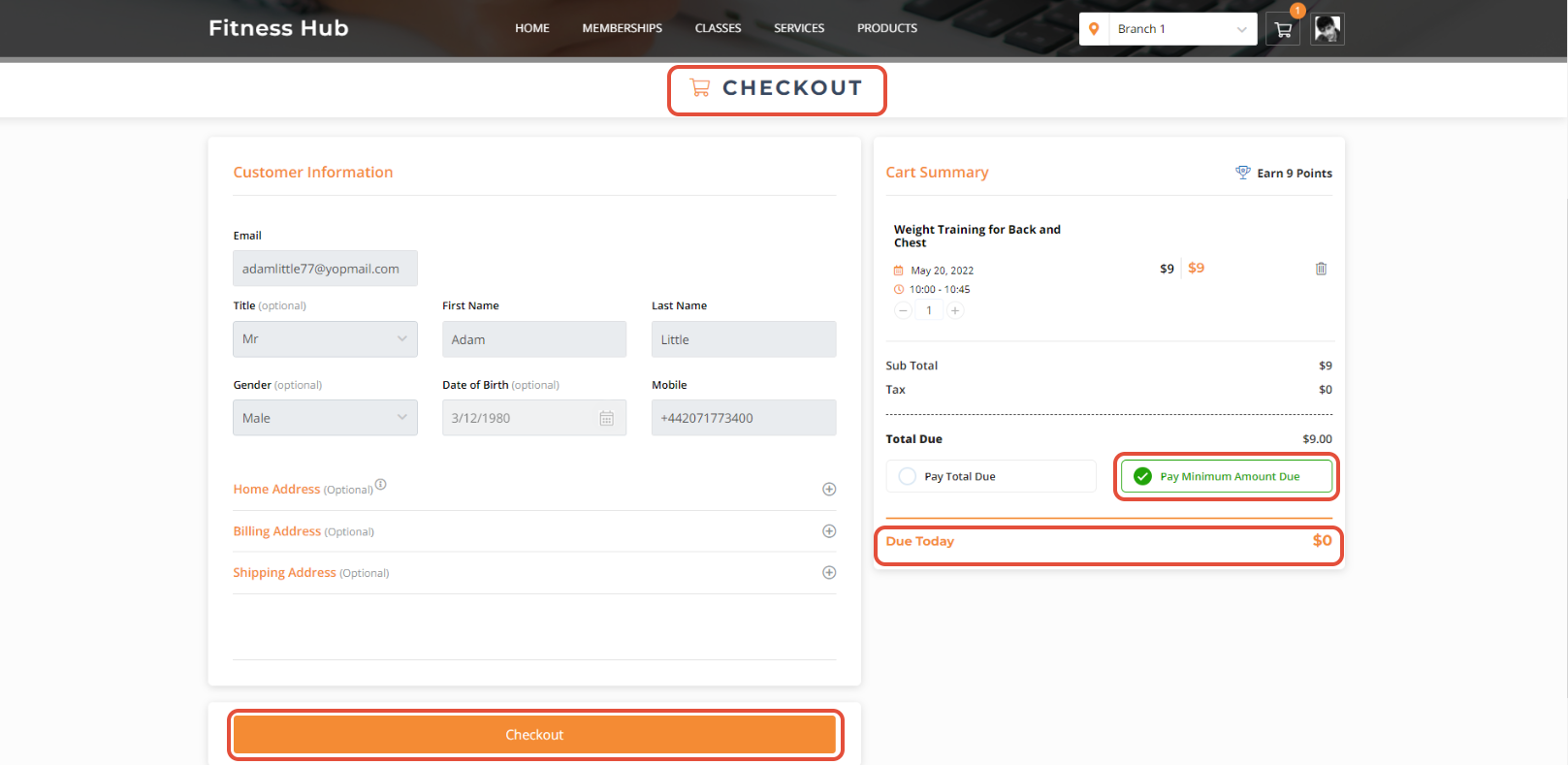
Both the Pay Total Due and Pay Minimum Amount Due options will only be visible when the Merchant has toggled on the Partial Payments Button in Core.
The Class will be booked successfully.