TABLE OF CONTENTS
- Overview
- Step 1: Navigate to the Customer Module
- Step 2: Add Customer as a Lead
- Step 3: Enter Enquiry Details
- Step 4: Proceed with the Enquiry
- Step 5: Review Lead Details
- Step 6: Save the Lead
Overview
This guide explains how to convert an existing customer into a lead, which can
help guarantee a higher membership conversion rate for your business.
Step 1: Navigate to the Customer Module
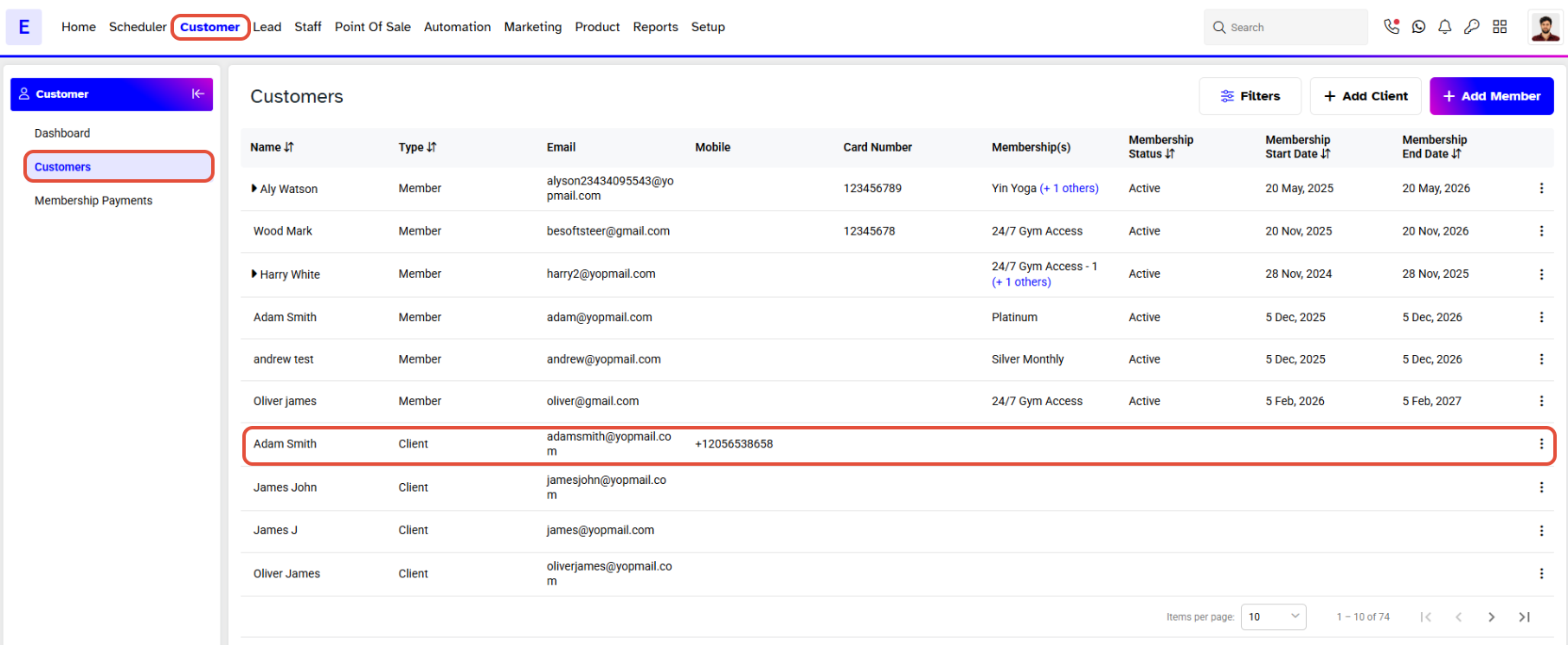
- From Core, go to the Customer module.
- Select a Customer.
Step 2: Add Customer as a Lead
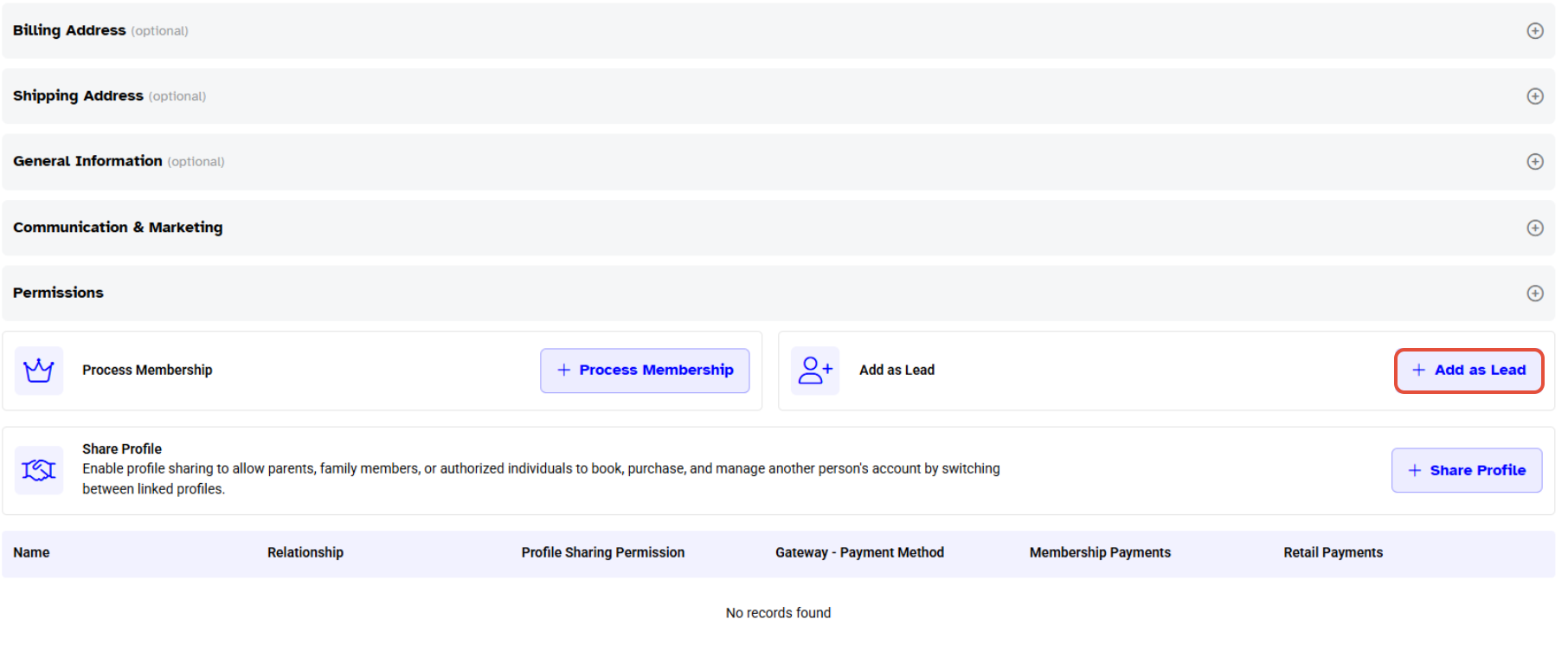
- From the Customer Detail segment, scroll to the bottom of the page.
- In the "Add As Lead" section, click the blue + button.
Step 3: Enter Enquiry Details
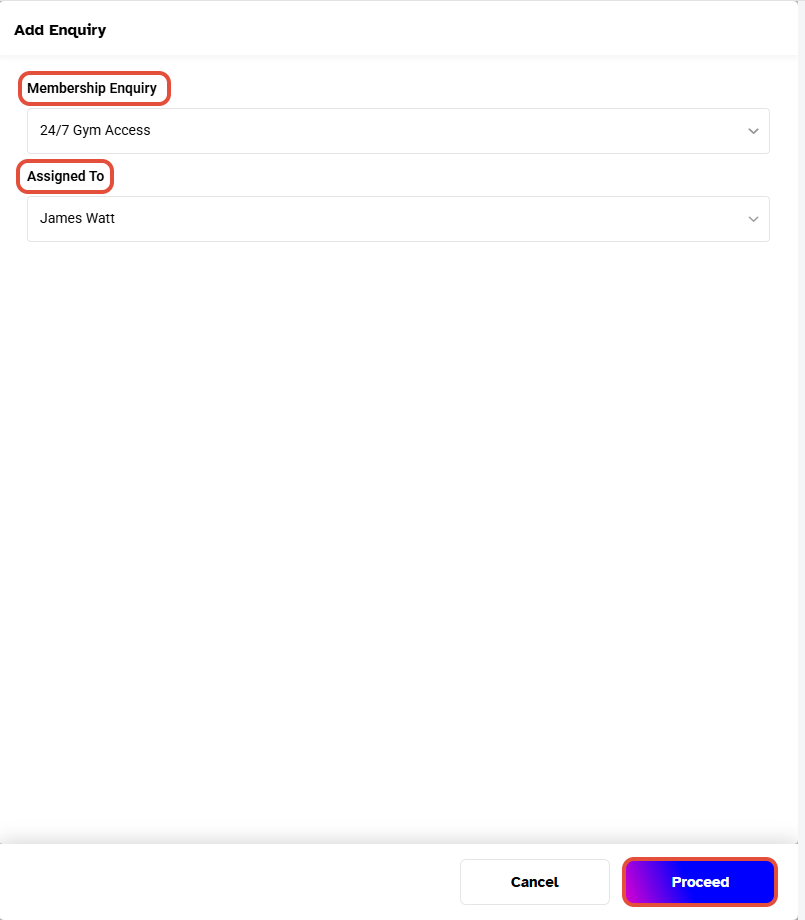
- An "Add Enquiry" screen will appear with the following dropdown menus:
- Membership Enquiry: Select the type of Membership the Customer is enquiring about.
- Assigned To: Assign a staff member to the Lead enquiry.
Step 4: Proceed with the Enquiry
- Click Proceed.
- An "Enquiry Saved Successfully" message will appear on the bottom right of your screen.
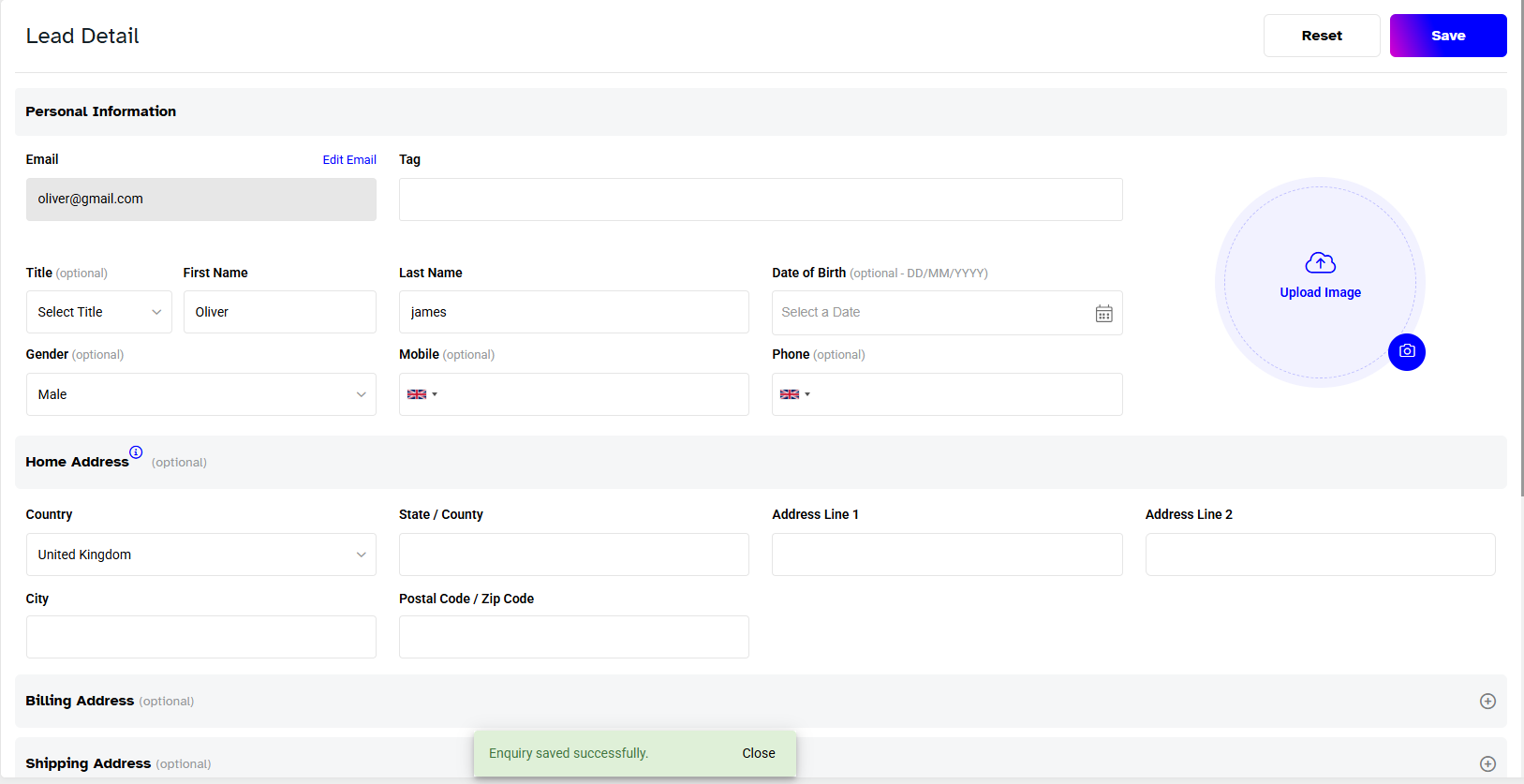
Step 5: Review Lead Details
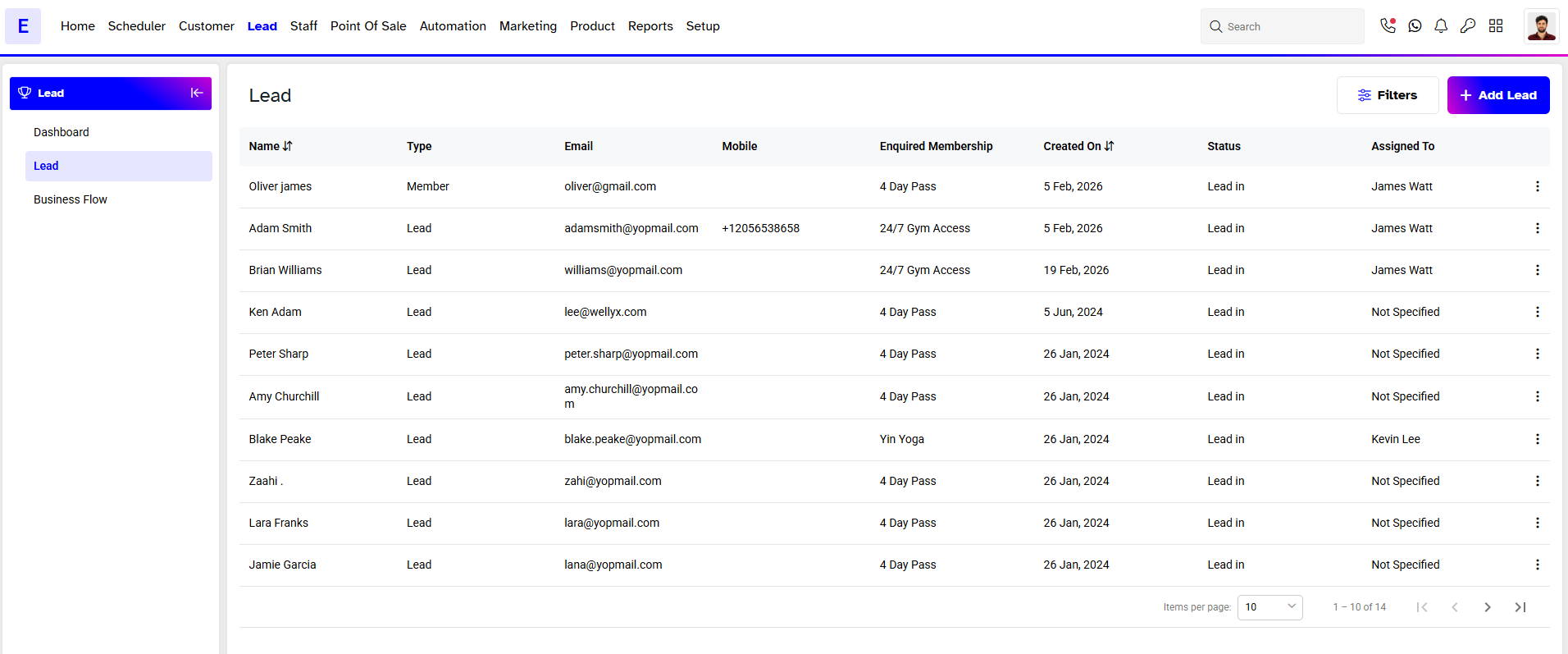
- You will automatically be directed to the Lead Detail segment under the Lead module.
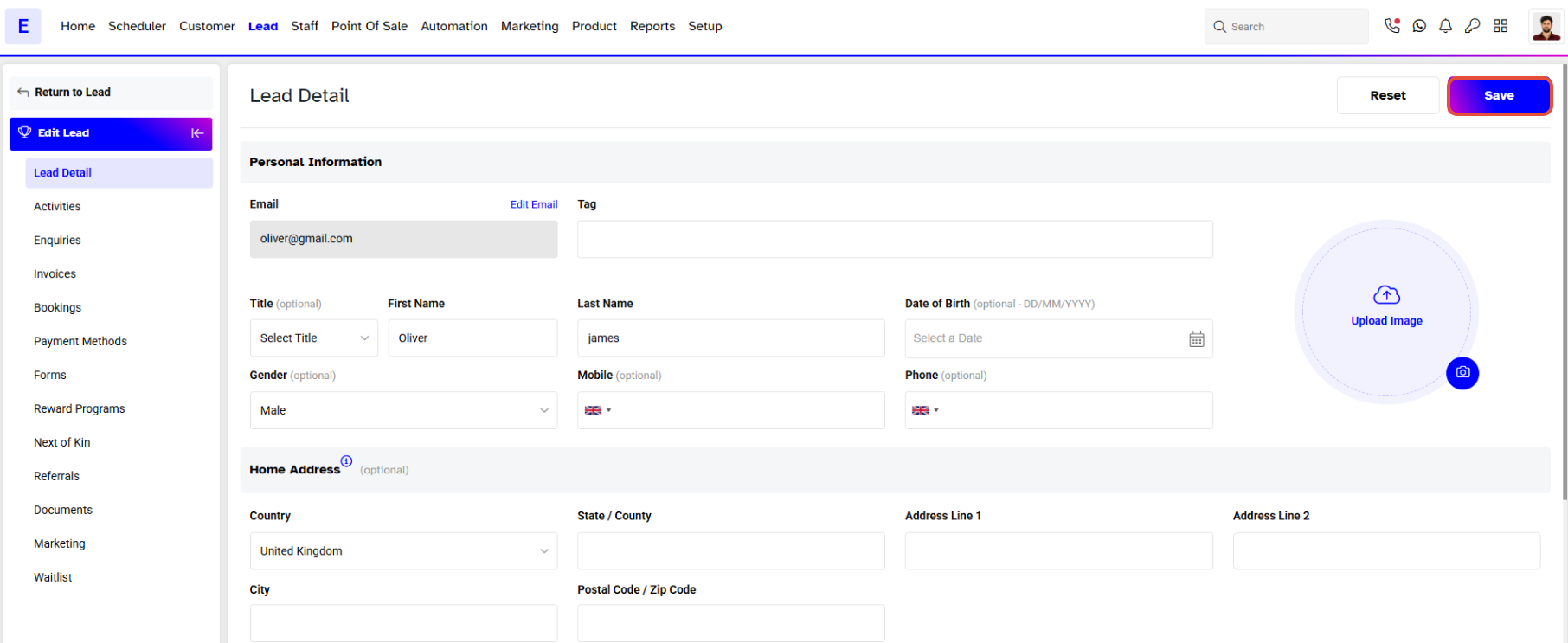
Step 6: Save the Lead
- Click the blue Save button on the top right to save the Lead.