TABLE OF CONTENTS
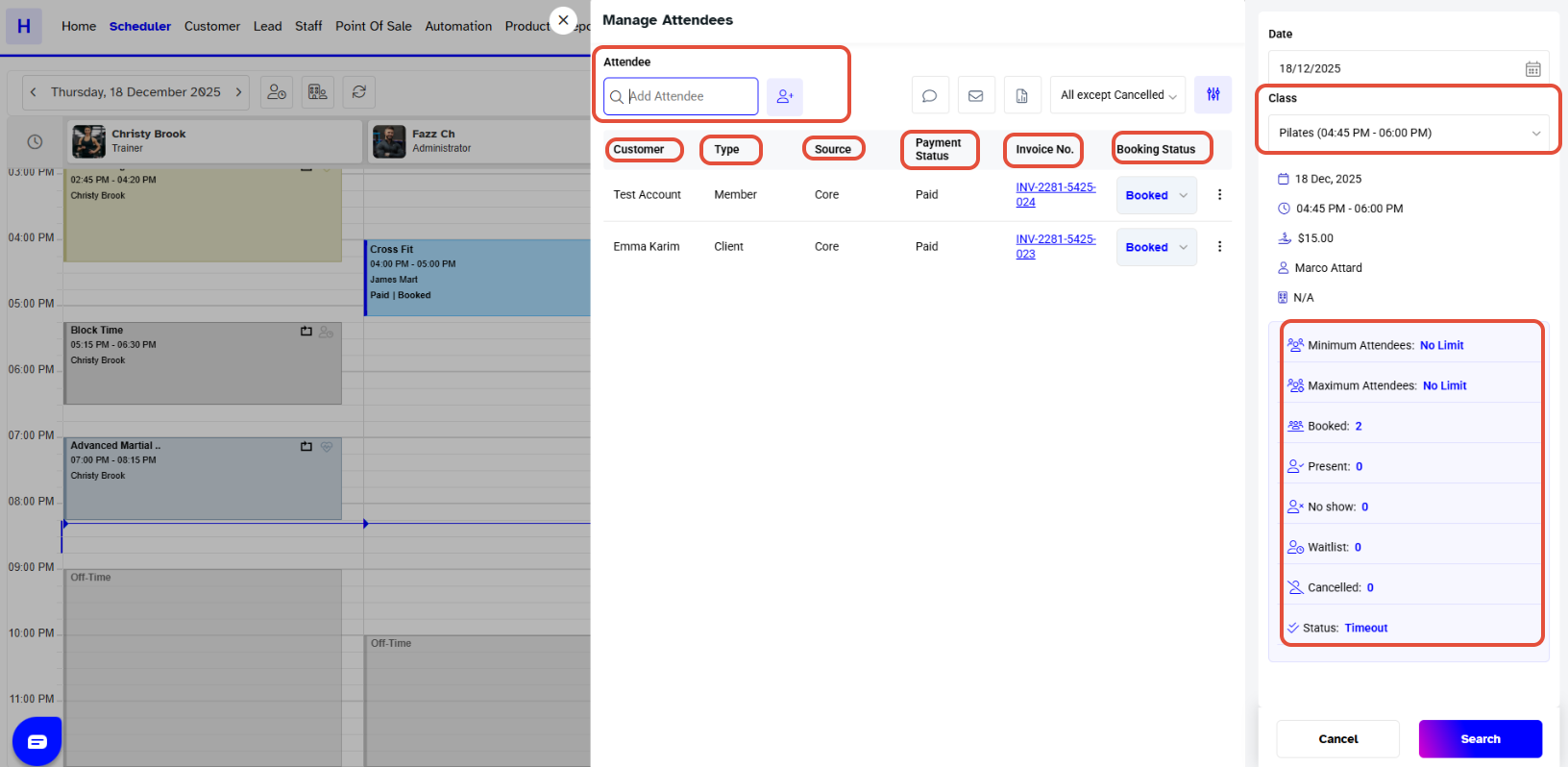
To View a Class Attendee in Core, follow the steps below:
How To View A Class Attendee In Core
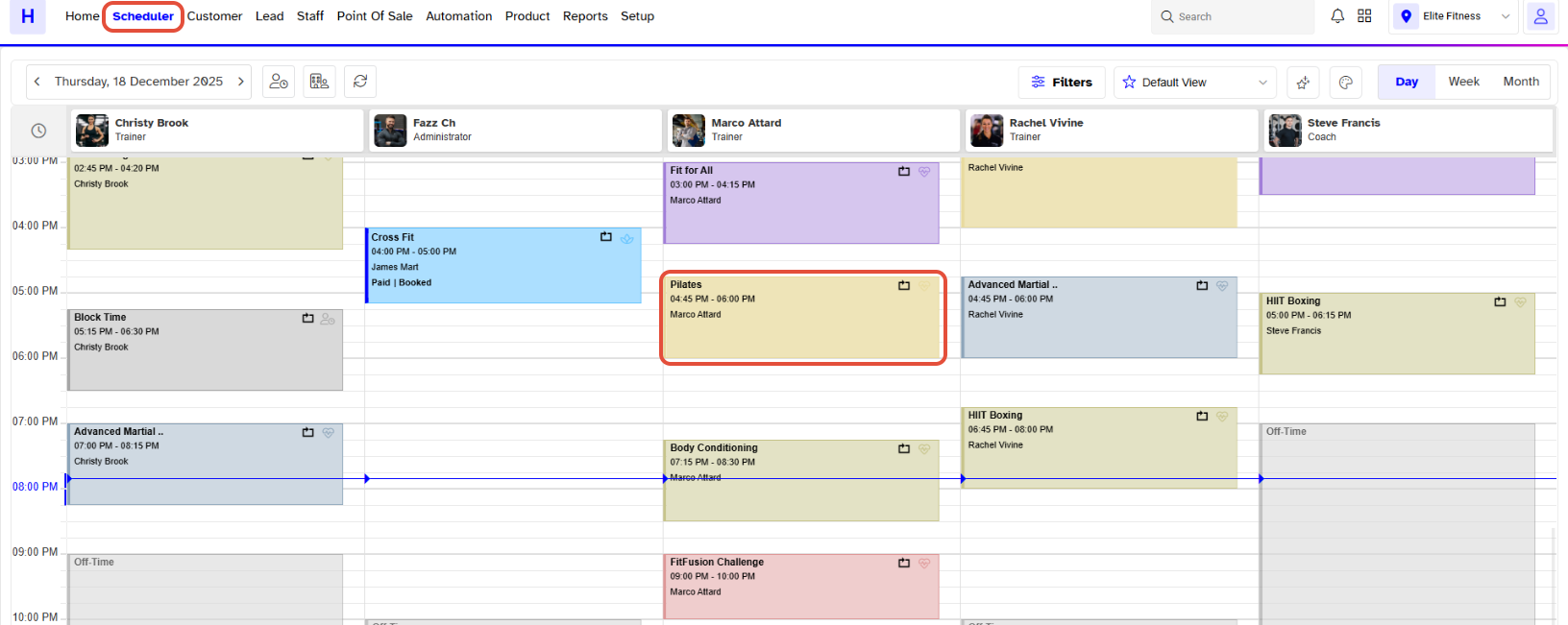
Go to the Scheduler Module in Core.

Select the Scheduled Class.
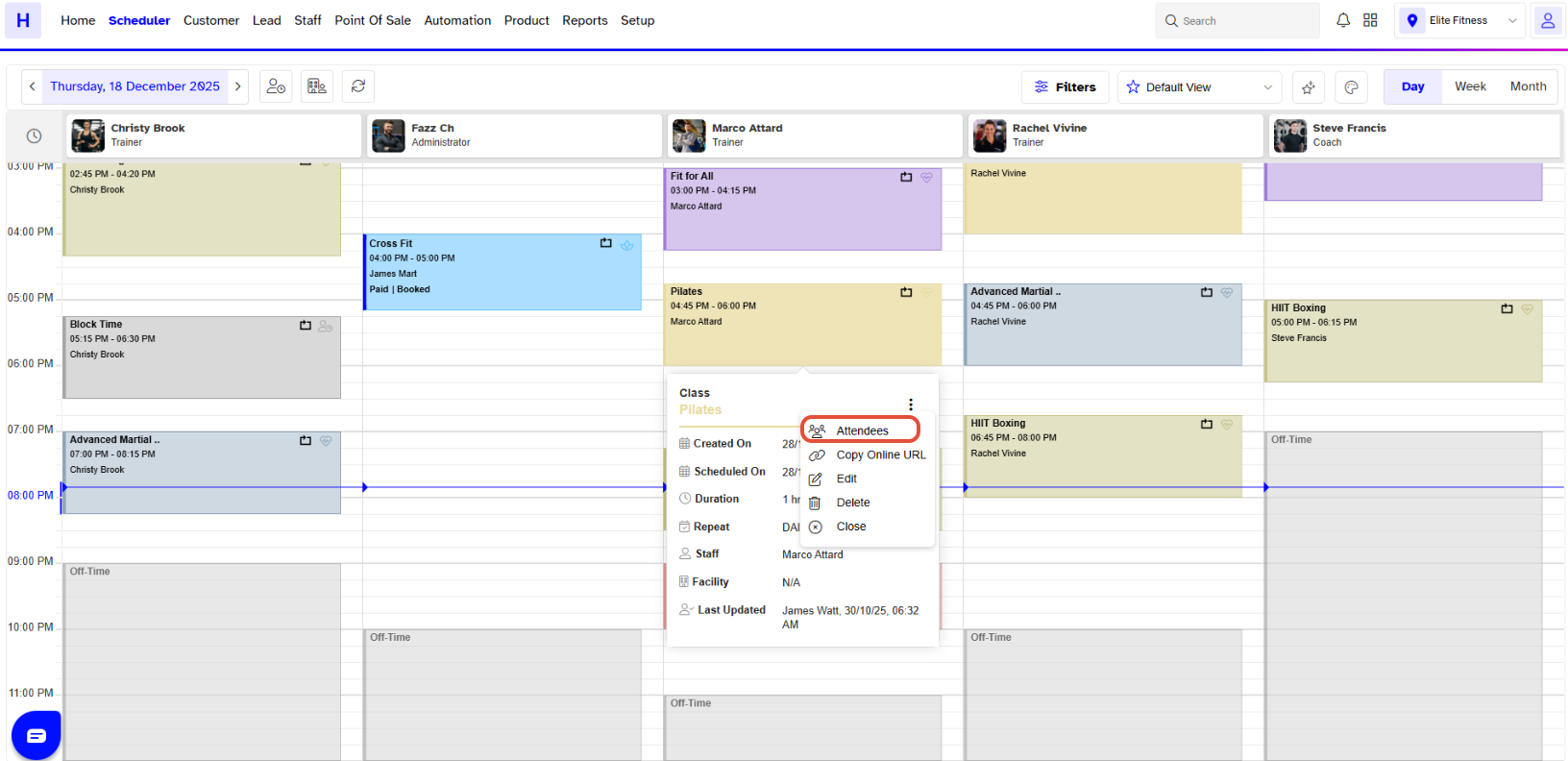
Click on the Attendee Icon from the Popup Box.
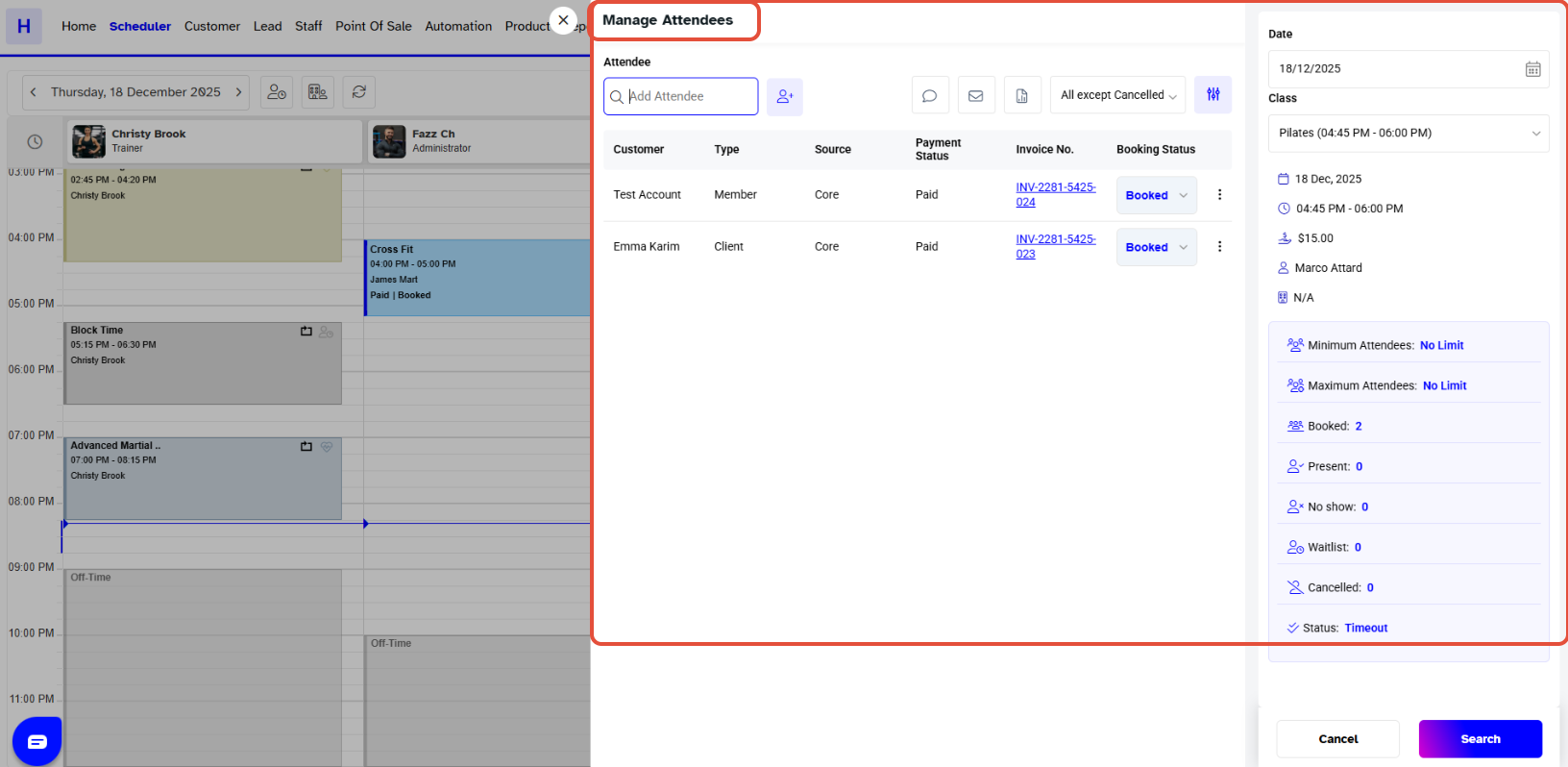
Now, the Manage Attendees Box will open.
Move down to the Attendee Section, and the Attendees list of that Class will display on the Screen.